Redesigning the Kamernet Account page

Kamernet
Kamernet is a Dutch housing platform helping people find a new home. Under new management, the company set out to refresh its look with a complete site redesign, built on a new design system delivered by external designer David Hutten — his extensive component documentation became the go-to reference across the company.
Headquarters
Rijswijk, NL
Services
- UX / UI Design
- Web app design
- Research
Industry
Housing
The challenge
Kamernet's platform spans many user journeys, and not every feature was covered in David Hutten's redesign. As the company's UX/UI designer, my task was to interpret the design system and extend it to pages it didn't yet cover — in this case study, the Account management page.
Solution
A fresh site redesign that fits the bill of the design bible provided and performs better than the original during user testing. I don't have the figma links, but I have the recordings and design documentation.
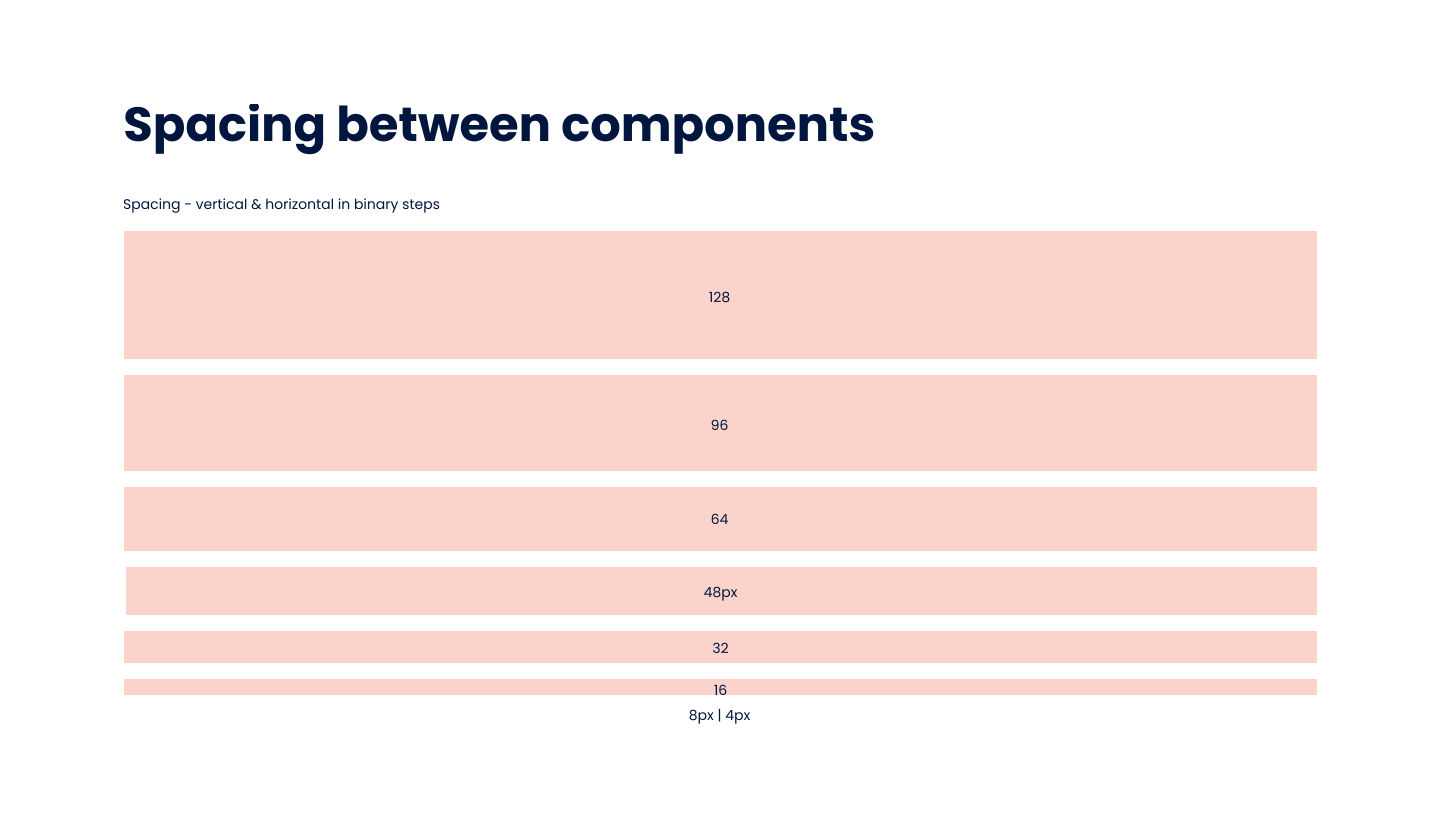
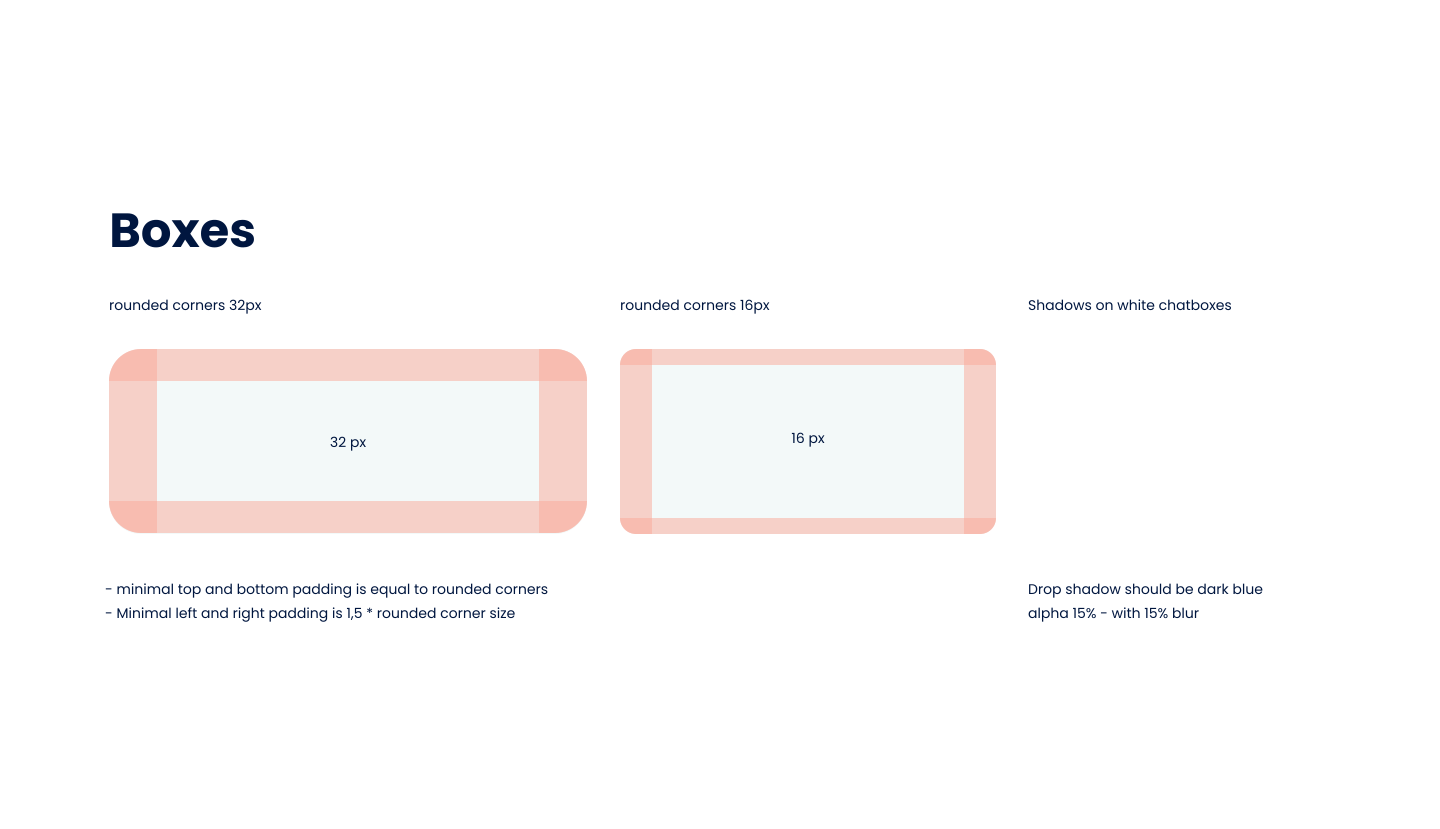
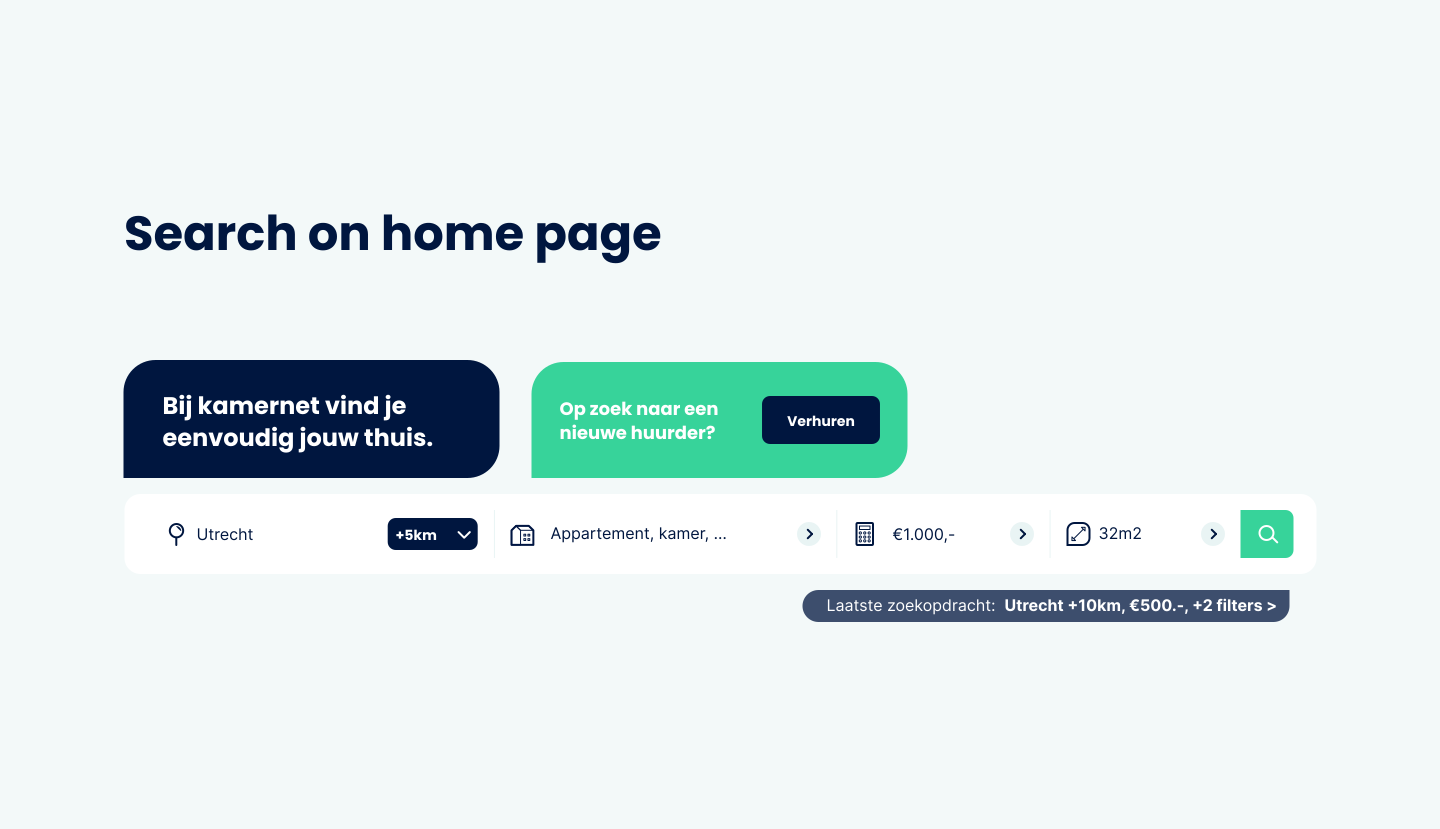
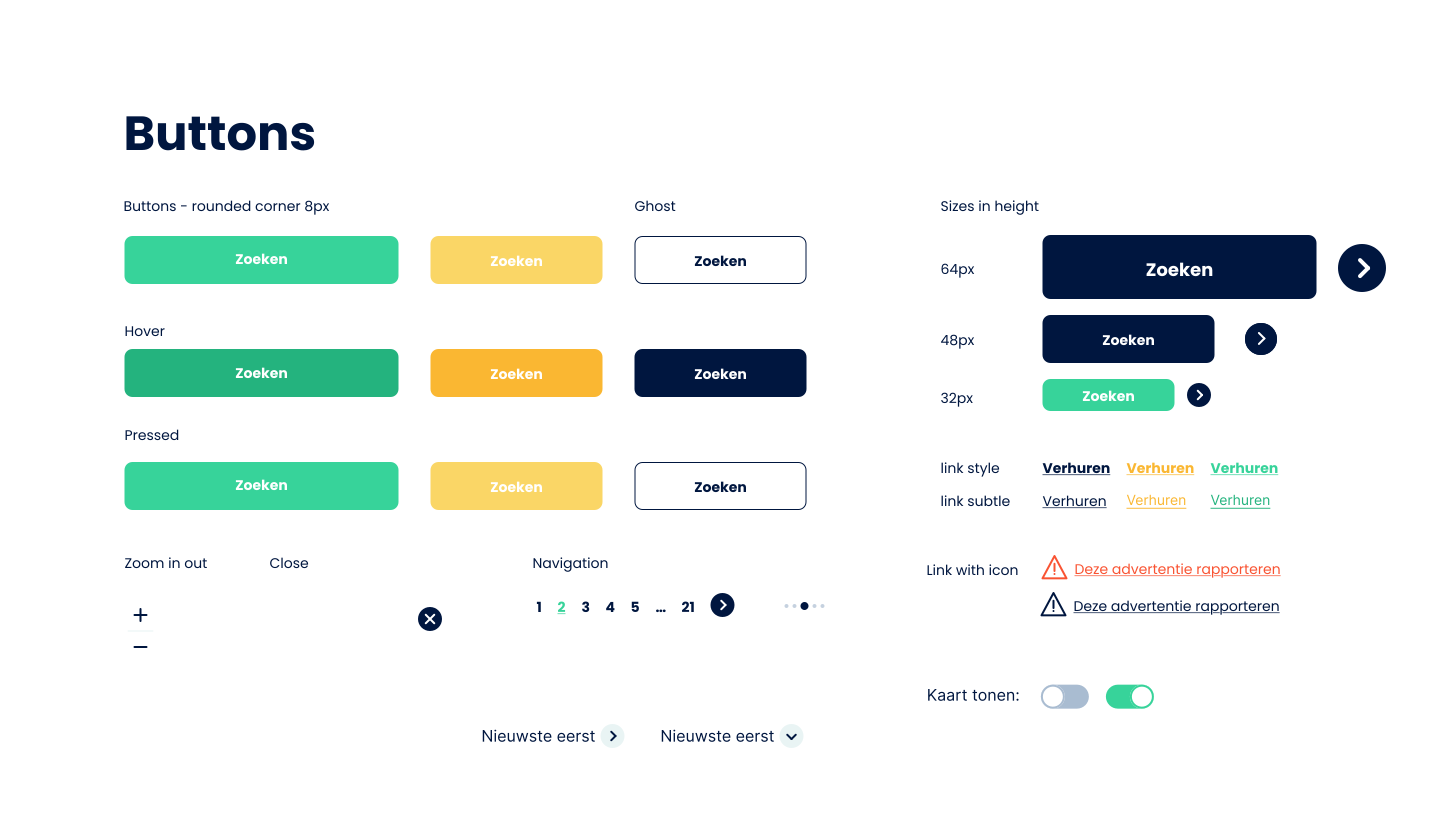
Understanding the new design bible
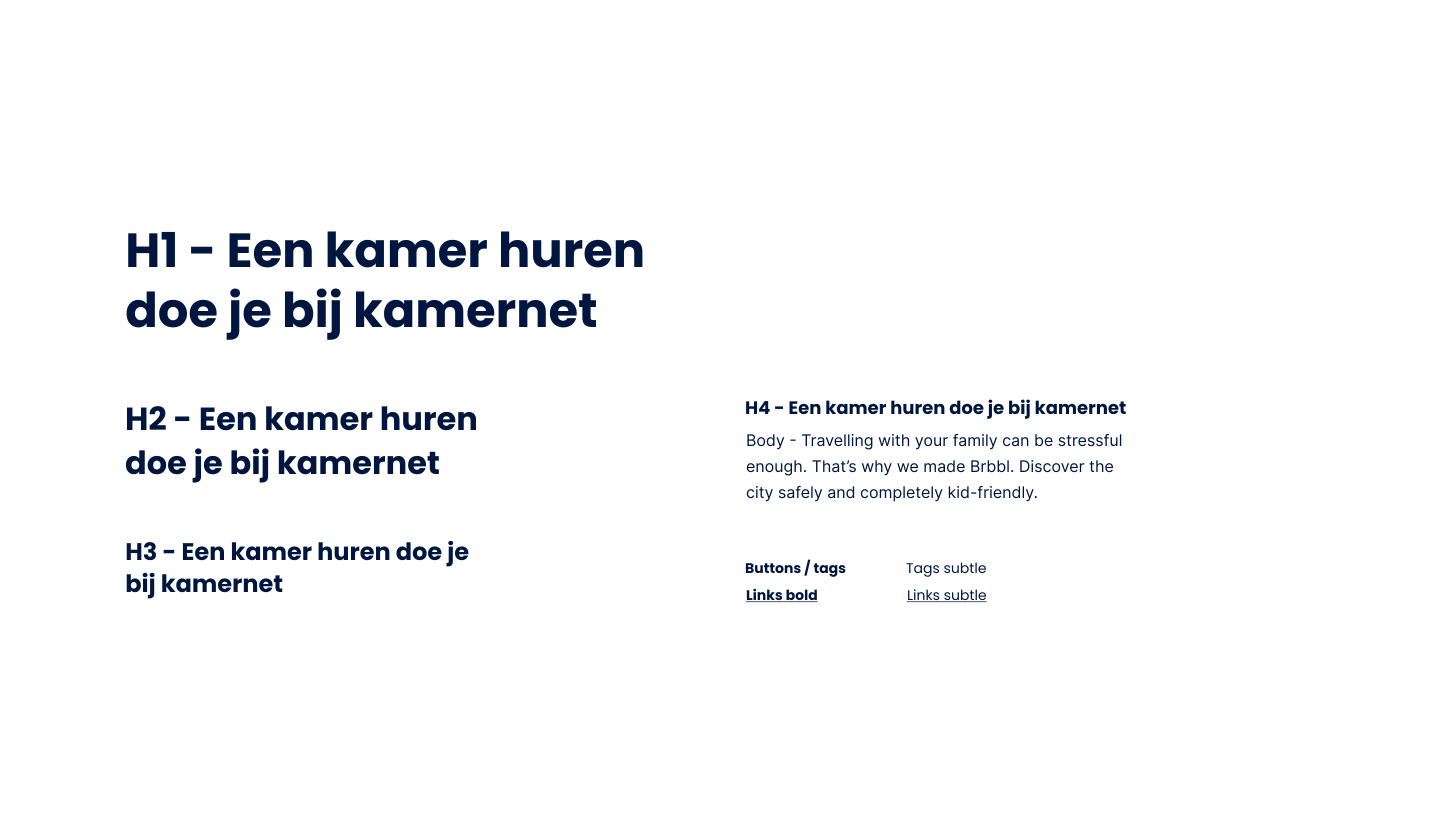
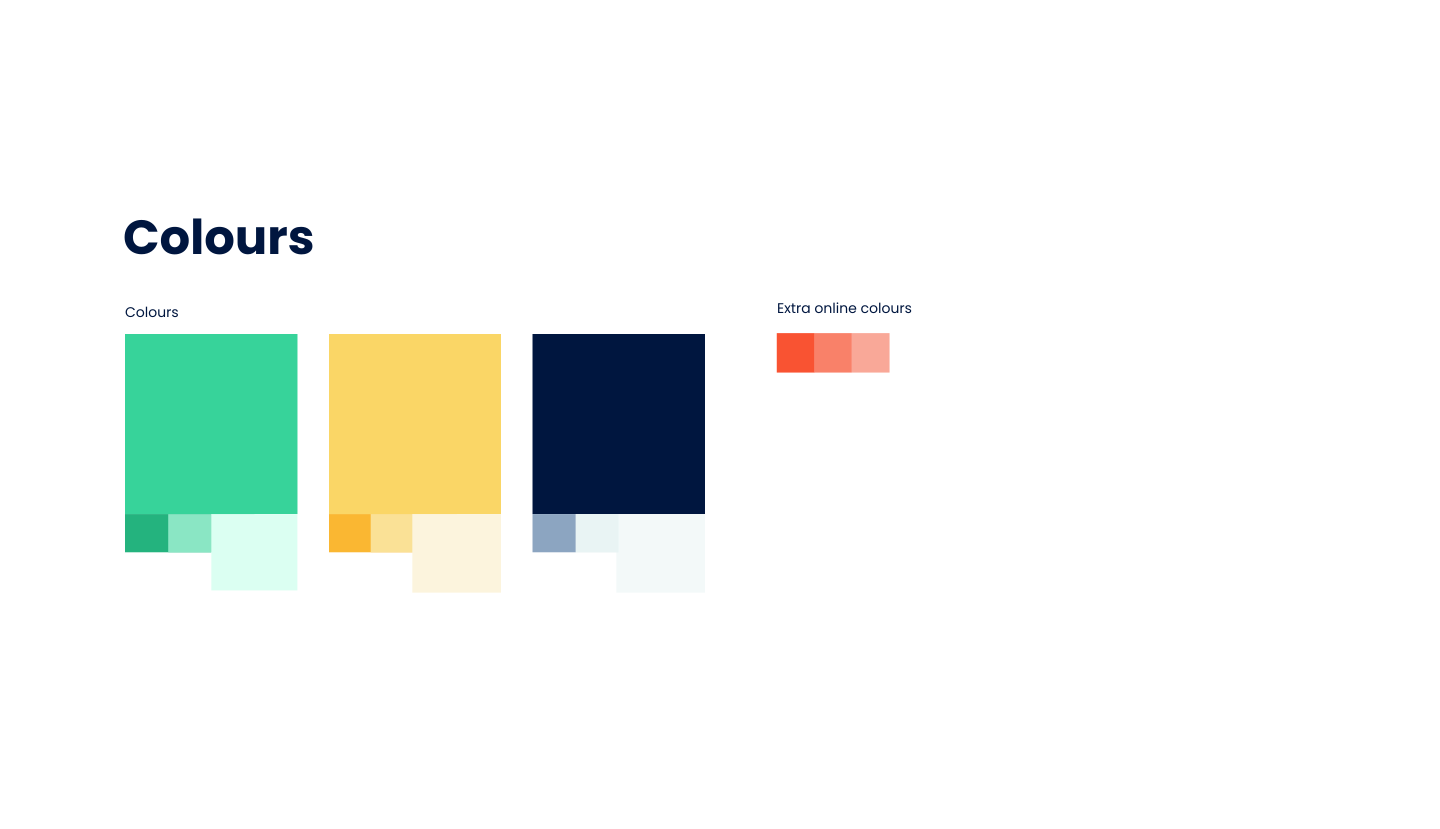
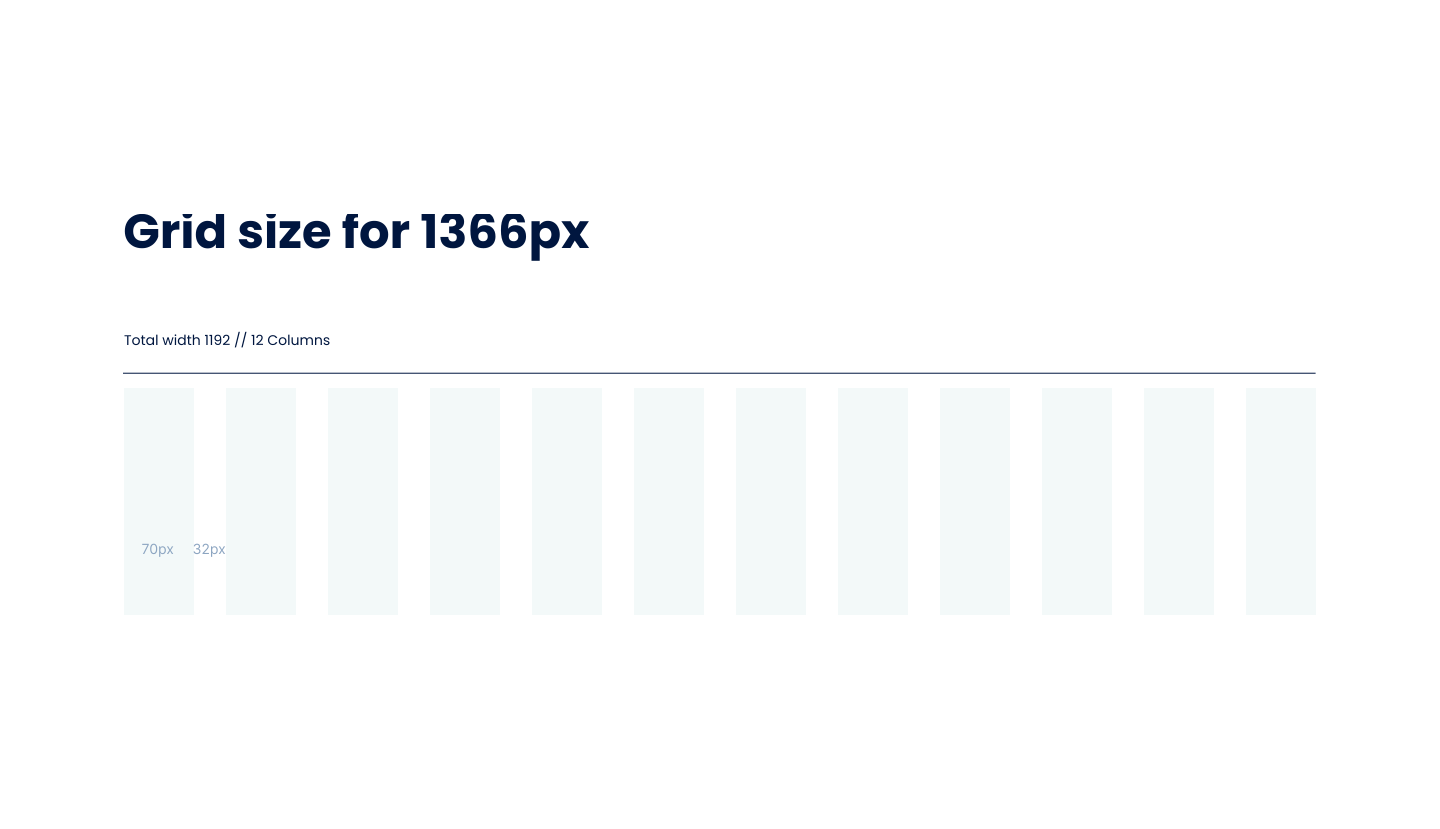
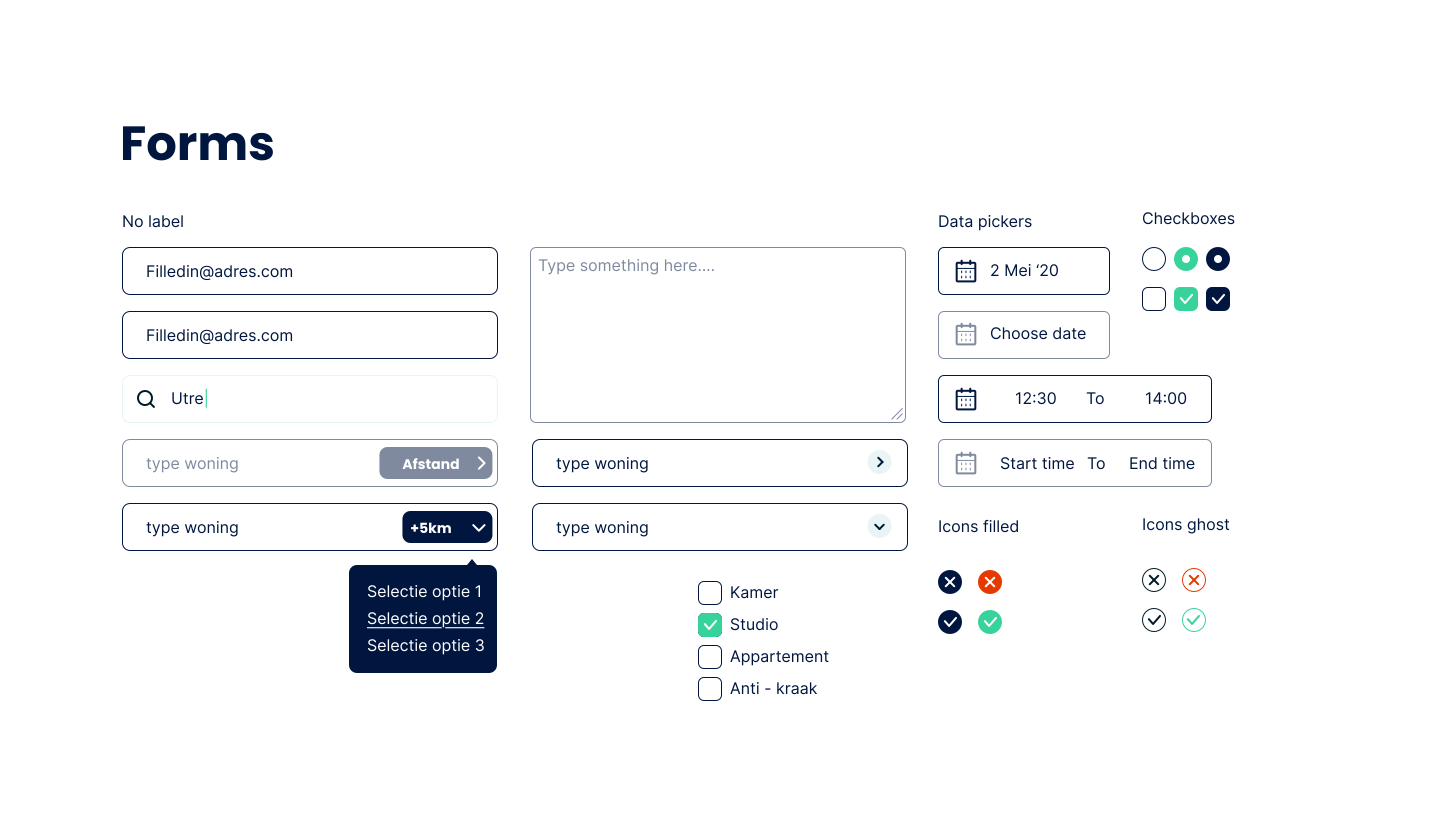
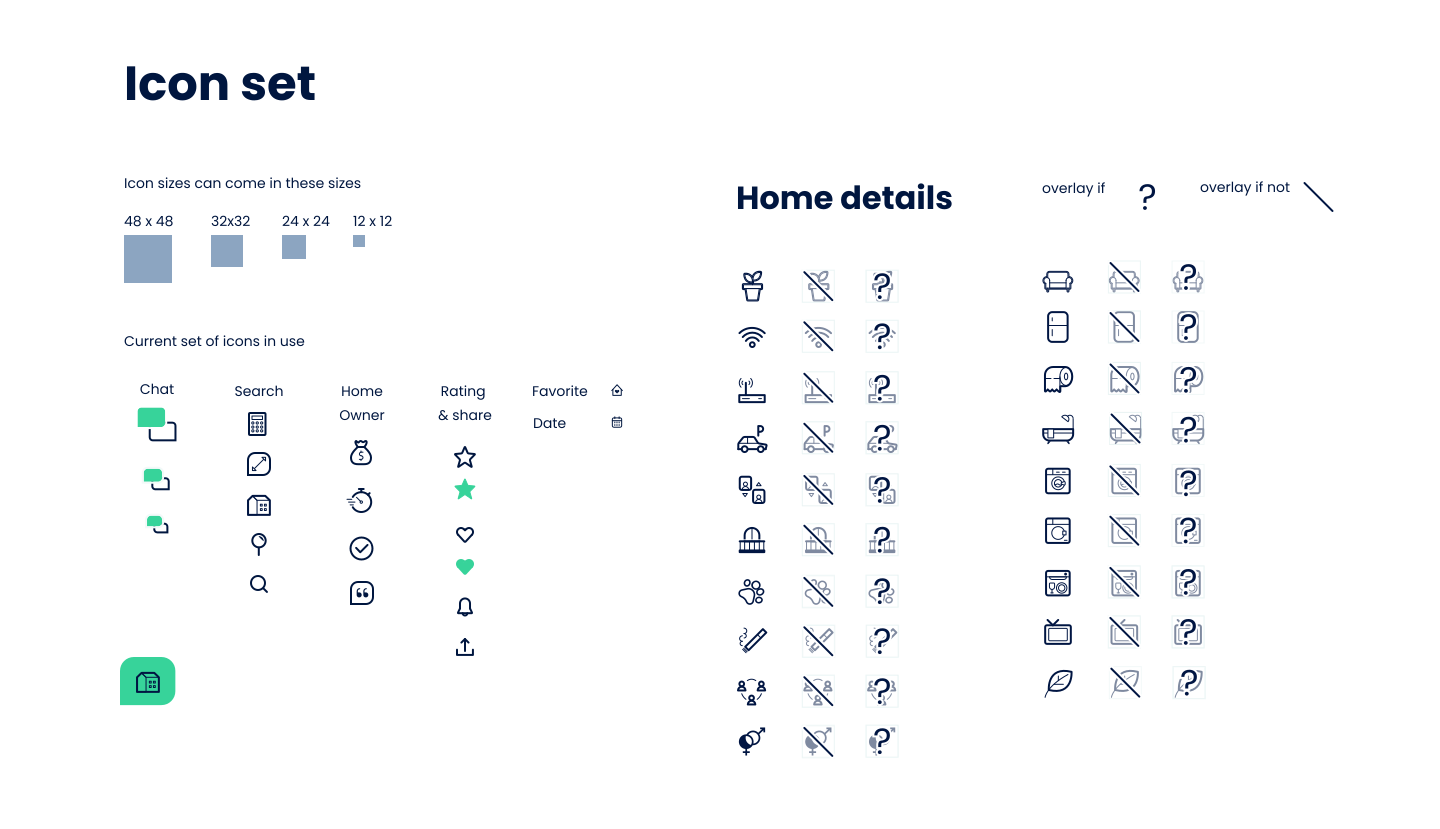
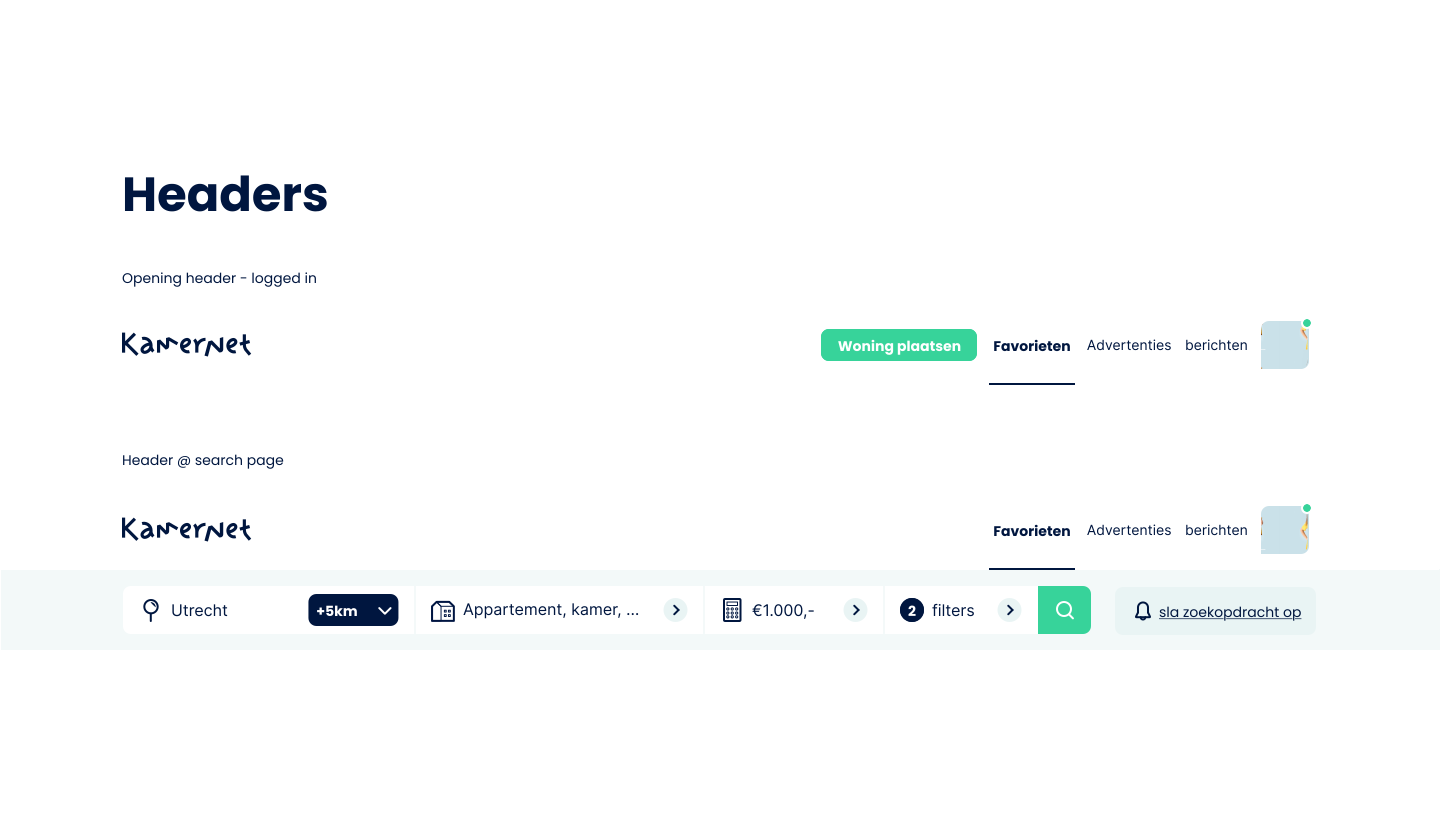
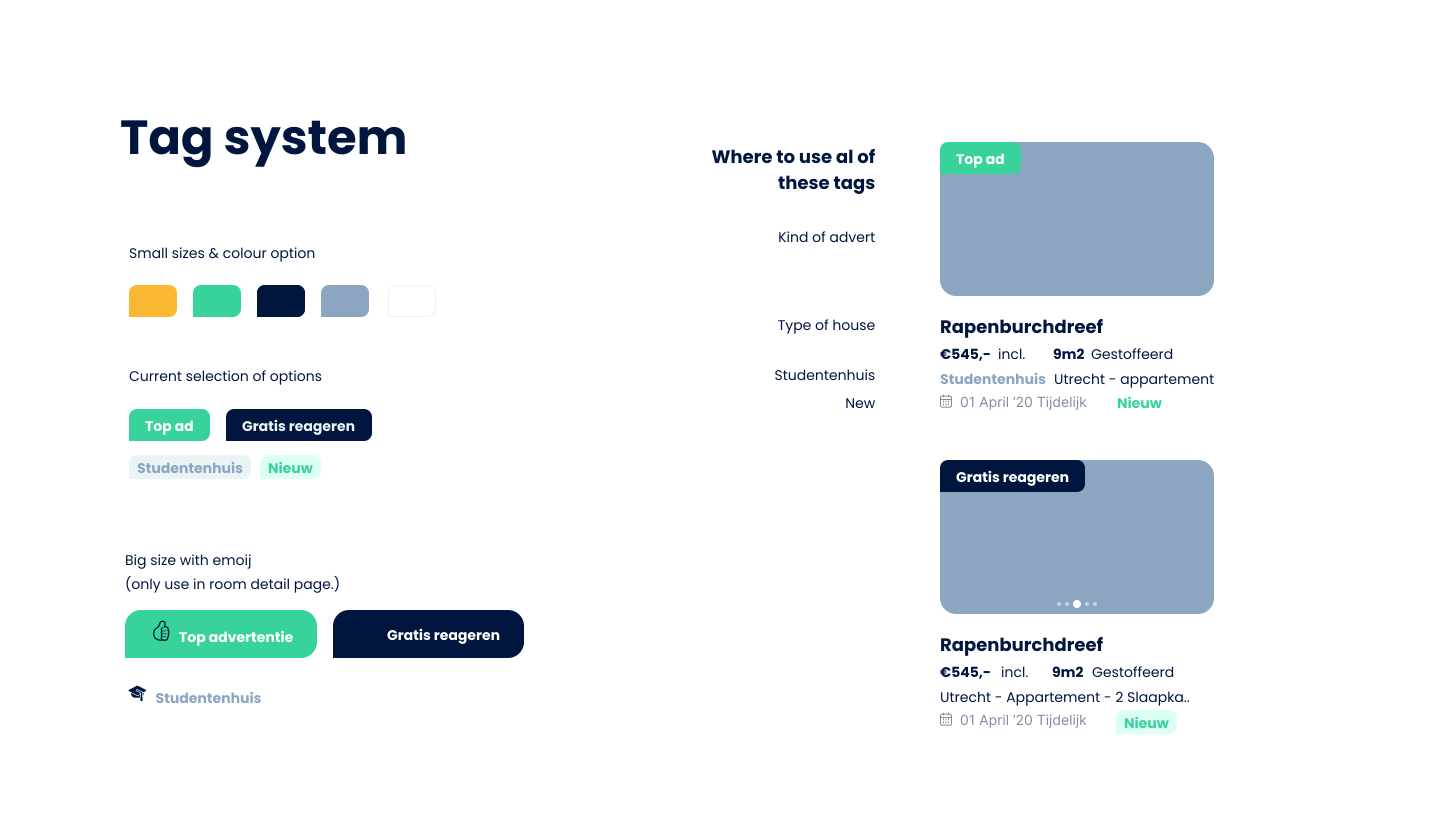
Upon receiving the new design system, I dedicated myself to a comprehensive study of its core components—headers, footers, forms, buttons, icon sets, grid sizing, spacing, typography, imagery, and overall look and feel. My goal was to fully internalize these elements, ensuring a deep understanding of their structure and application across the platform. This meticulous attention to detail allowed me to confidently apply the system’s principles, seamlessly integrating new pages into the existing framework while upholding the visual integrity of the brand.
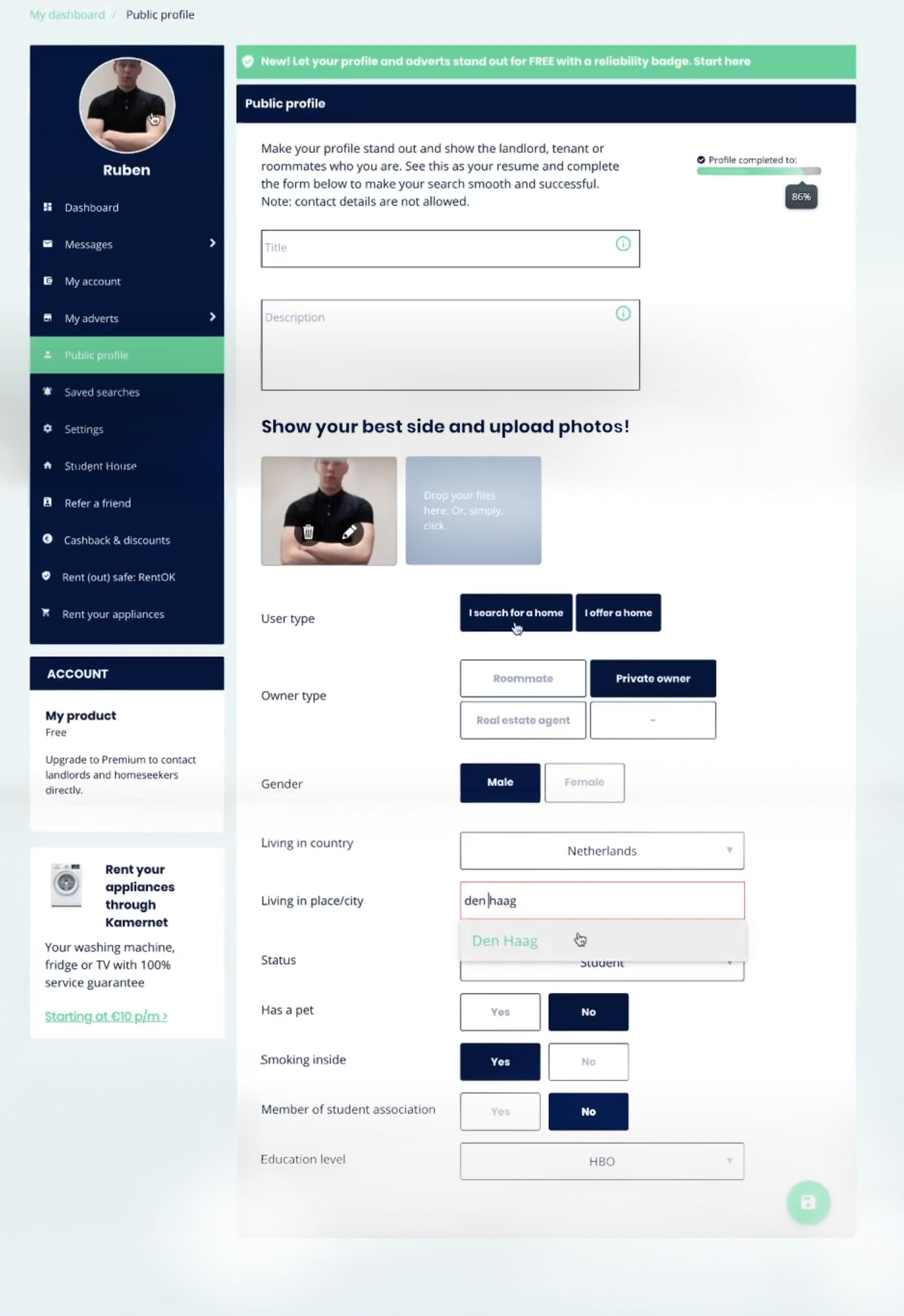
The state of the Kamernet account management page
After the homepage's soft redesign, the Account page emerged as the next critical point in the user journey needing improvement. Testing revealed cluttered side navigation that confused users: they struggled with essential actions like cancelling a subscription, and 4 out of 5 were unaware of the cashback & discount benefits buried deep in the page. Button interactions added to the confusion — 2 out of 5 users didn't recognize toggle switches, leaving them unsure whether changes had been saved. These findings made the case for a more intuitive, streamlined redesign.

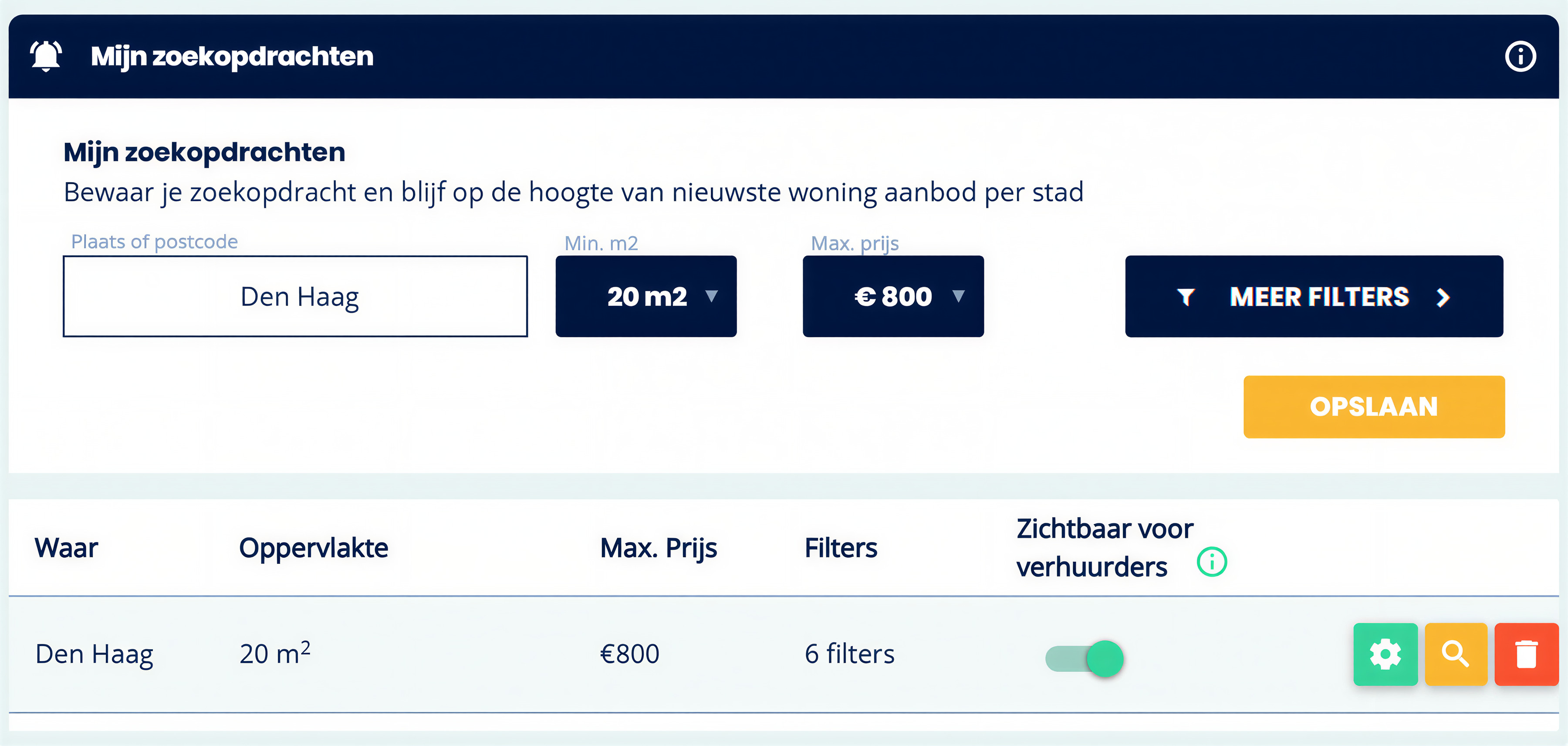
My design solutions
Based on the research insights, I redesigned the Account page with the refined design system, prioritizing clarity and at-a-glance information. Removing the large dark blue navigation bar freed up significant screen space — enough to show users a more detailed overview of their saved search criteria — while clear descriptions next to each category made information easier to find. I also merged related categories like "Refer a Friend" and "Cashback & Discounts" into a single "Promotions" section to reduce clutter, and introduced a minimal in-category navigation, in some cases replaced by a progress indicator or removed entirely. The result: a cleaner, more intuitive account management experience.


Testing my design
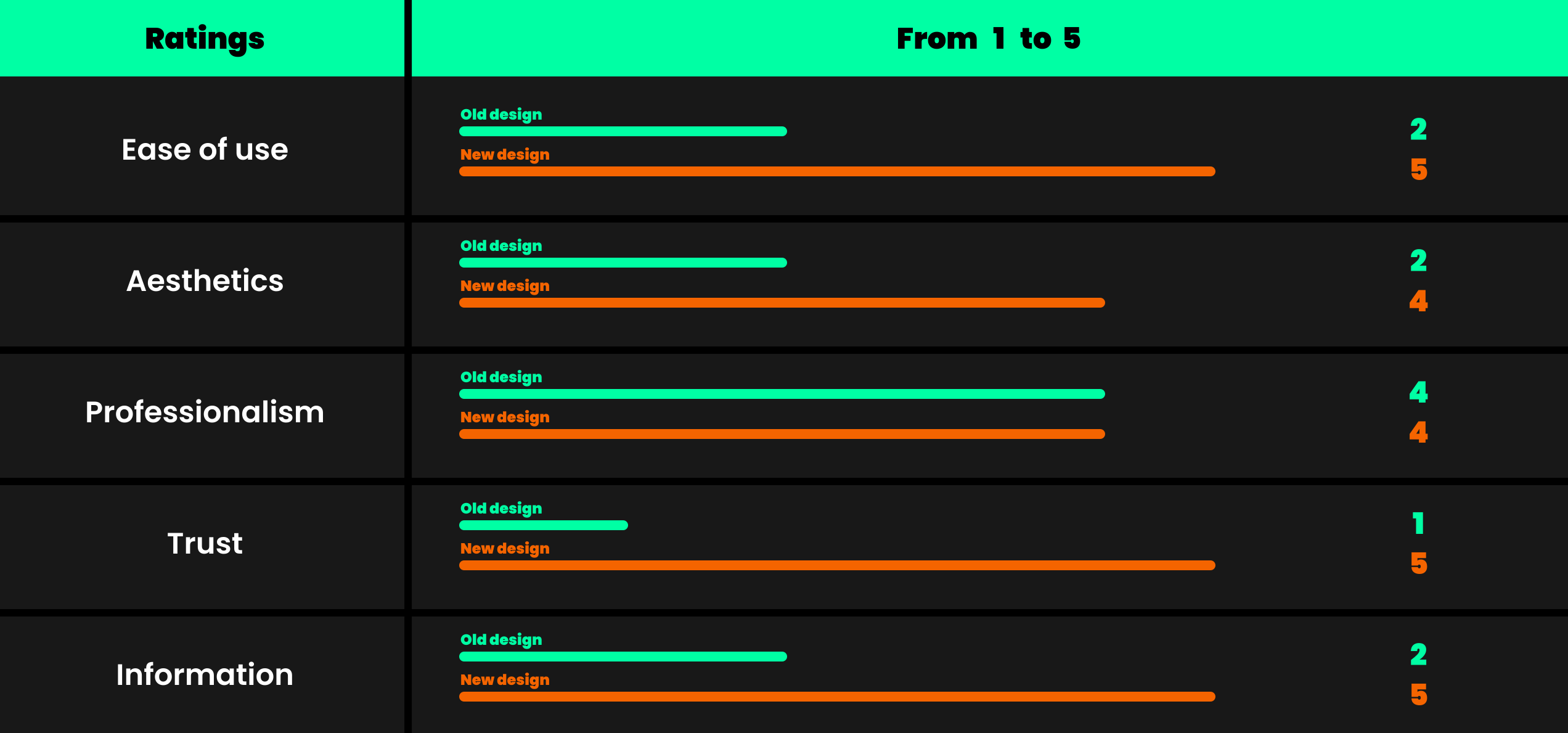
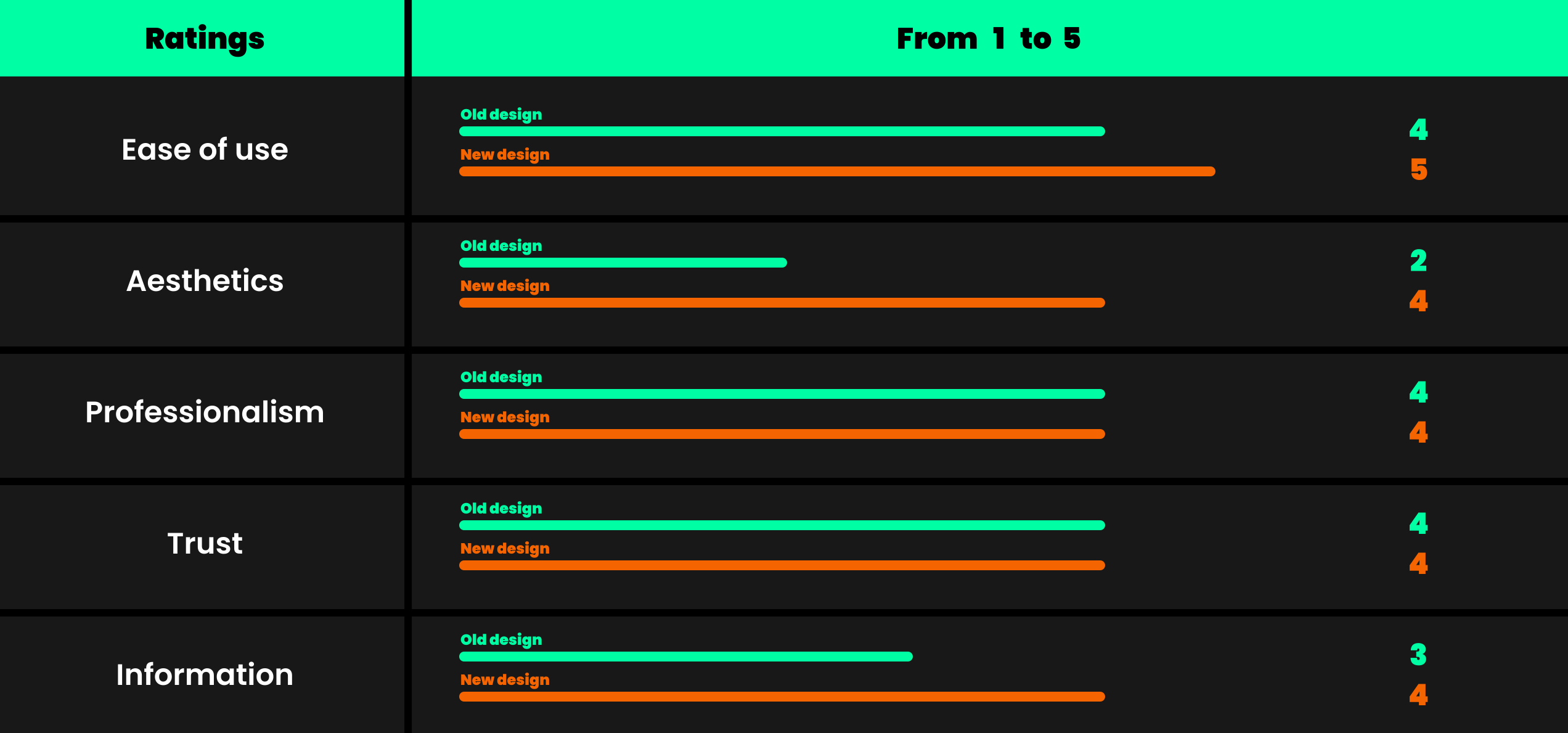
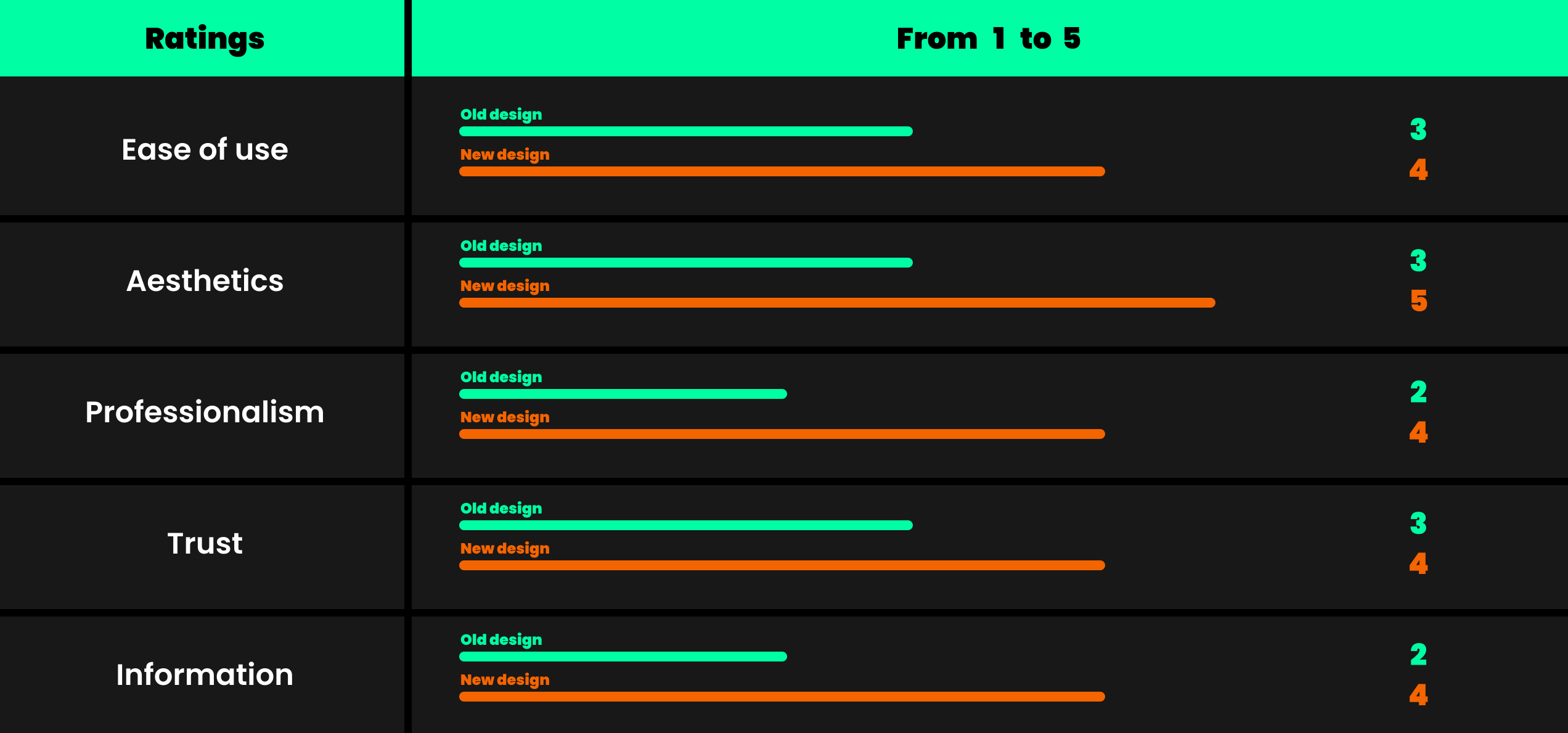
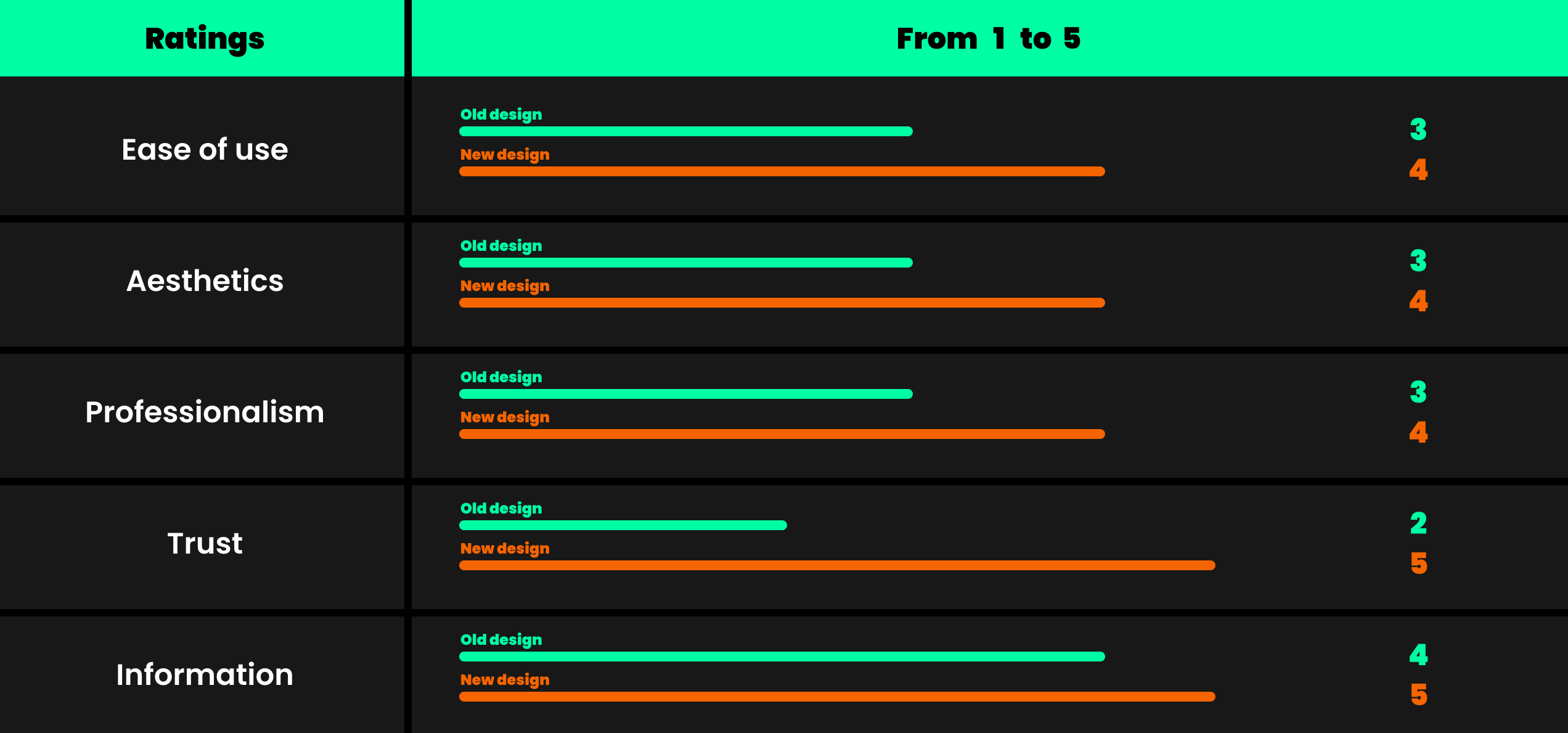
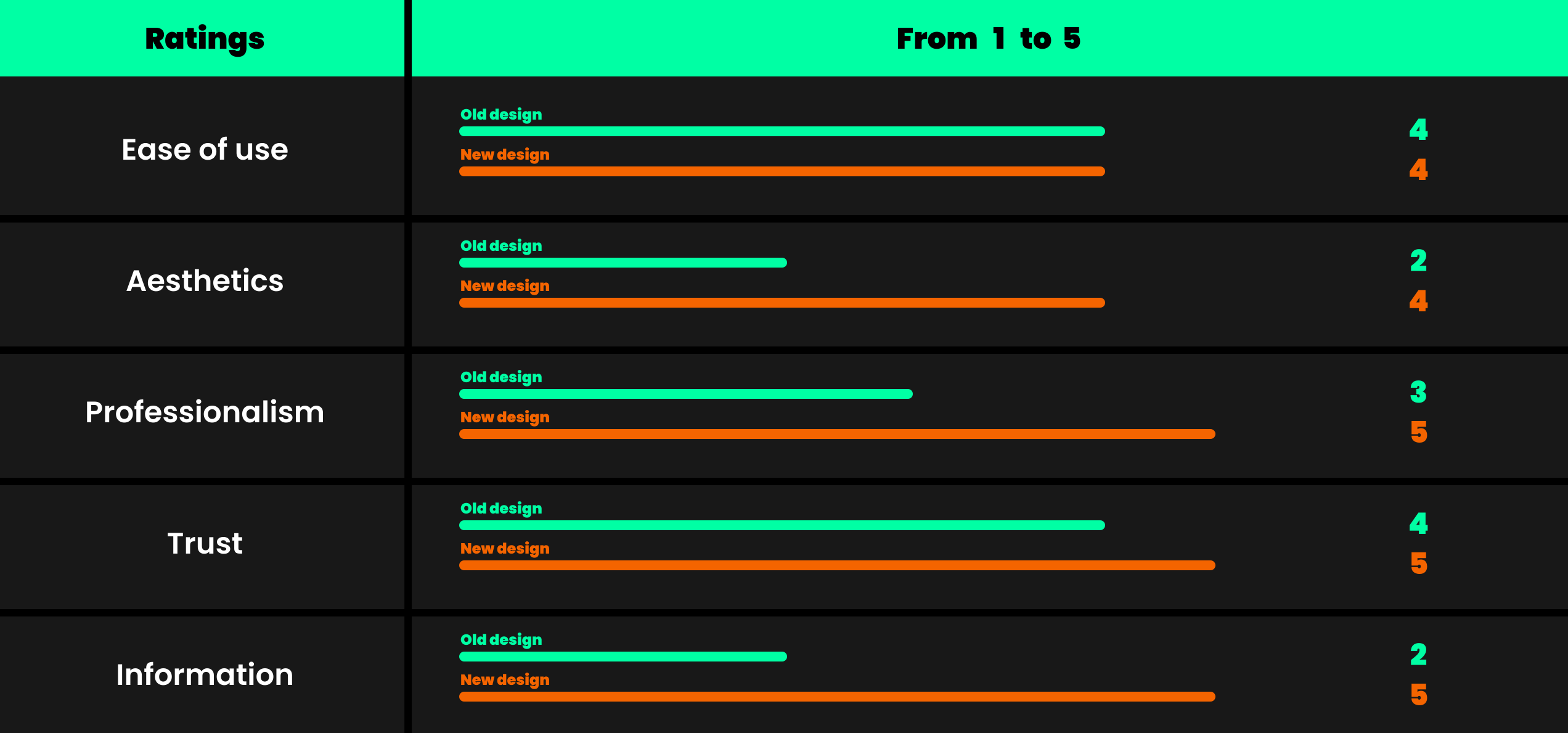
To validate my design, I ran usability tests with 5 participants, who completed the same tasks on both the current Kamernet site and my prototype — from filling out a profile and adding a saved search to locating billing information and cancelling a subscription. Afterwards, participants rated both versions on ease of use, aesthetics, trustability, professionalism, and display of information. This customised Harris Profile method combined qualitative observation of pain points with quantitative comparison between the two flows.
.svg)
Results
The test results confirmed the redesign's effectiveness, with significant improvements across every category: ease of use rose from 3.2 to 4.4, aesthetics from 2.4 to 4.2, trustability from 2.2 to 4.6, professionalism from 3.2 to 4.4, and display of information from 2.6 to 4.6. The especially strong gains in trustability and clarity show the redesign addressed the core pain points, delivering a smoother and more credible user experience.
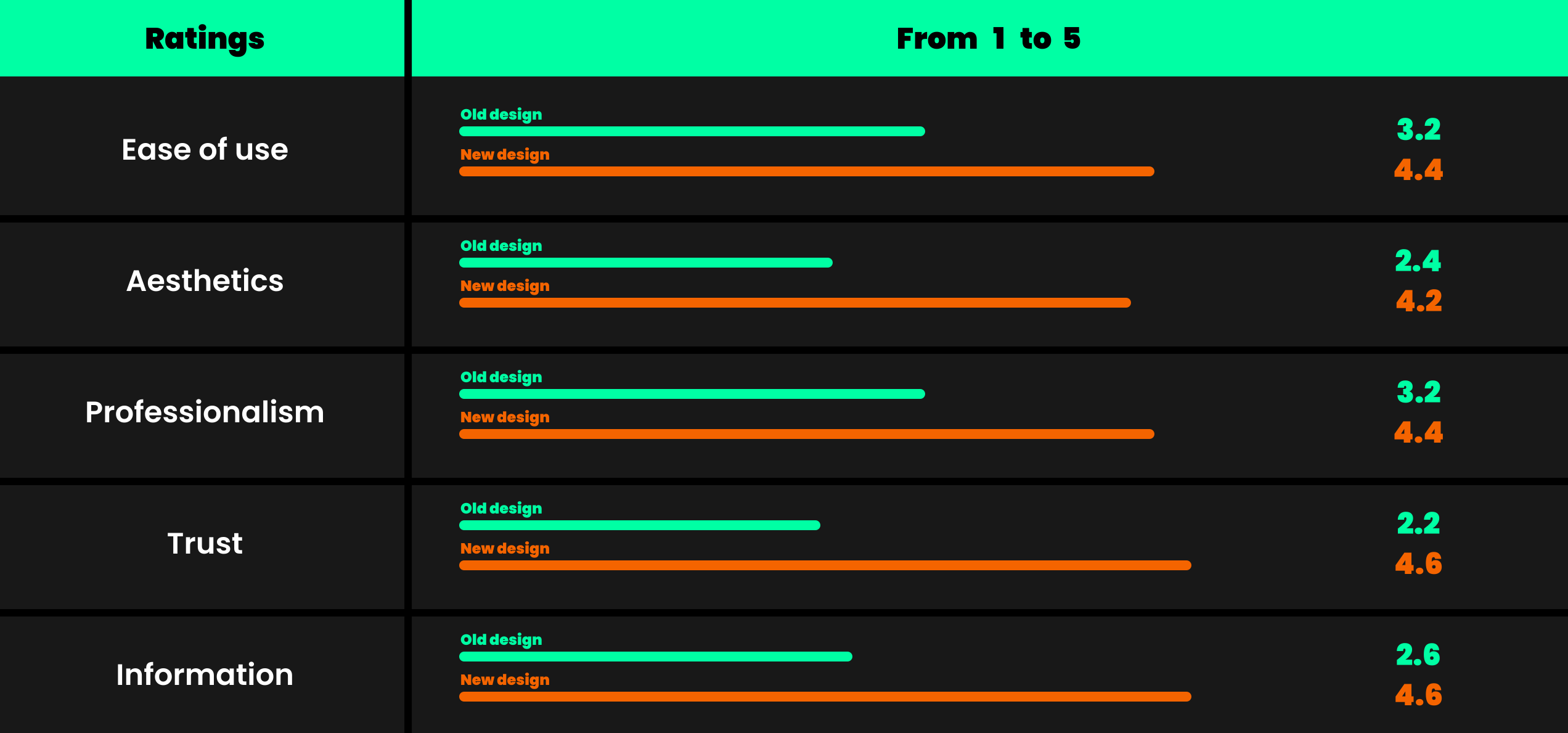
Results per user test
Each participant's recording and scores: