A mobile first redesign of the Dutch Language Cafe experience

TaalCafe

is a café & community in The Hague where people of different nationalities can come together, feel at home, have fun & practice Dutch

Headquarters

The Hague, NL

Industry

Education & event management

Services

- Visual identity
- App design
- UX design
- Design system

The client

DutchLanguageCafe is a grass-roots organisation geared up to help its users find a like-minded community where participants can practice and learn the Dutch language.

The challenge

Though functional, their site is bloated by onboarding text, an inconsistent visual identity and the site isn't optimised well for mobile. Requiring the users to use it on desktop instead for an optimal experience. So, together with the help of the DutchLanguageCafe community I sought to redesign the event discovery and ticket buying experience from a mobile first POV.

Solution

A complete new look and feel for DutchLanguageCafe - rebranding it to TaalCafe and providing them with a solution of how their dream mobile application may look and work, so their visitors can focus on what they love - learning Dutch & having fun while doing so!

A hip new brand & design language

Inspired by their love for the Dutch language and their goal to make language acquisition fun I set out to provide them with a brand identity that feels professional, uniquely Dutch & accessible.

DutchLanguageCafé initially had a really long name and & an overly complex logo, that failed to educate its users of their core identity.

Since they call themselves a language café and one of their most popular events is a "Thursday Chat" by a cup of coffee, I decided to rebrand them to "TaalCafé''. Keeping to their Dutch roots, while simplifying their brand.

The added motif of the royal orange primary colour and the steamy cup of coffee really bring home the fact that this is a Dutch language learning community.

Standardising the brands look & feel

The brand of TaalCafe in its core is a friendly and approachable brand. I wanted to hammer home this message within our communication.

To better embody how this brand would market itself in the online & offline landscape I created mock-ups of several social posts and physical ad campaigns.

UX in Event management

Ofcourse, the main promise of the brand lies within the user experience of their service. So I started out with research on how to improve it.

After a few informal interviews at the DutchLanguageCafe events, I came to the understanding that most of the visitors browse the site & buy tickets to events on their phone. Though admittedly, they think the site is buggy.

So I conducted an audit of the site, both in desktop and mobile and wrote down a heuristic evaluation of the problems I encountered on the site.

Home screen

Calendar screen

Event screen

Problems with the site

The site suffers from an information overload, making it difficult for returning users to quickly navigate to the event calendar. The excessive text content, especially on mobile, forces users to scroll through lengthy sections to reach their desired information. This is exacerbated by the cluttered design, which negatively impacts usability and reduces efficiency, violating the principle of "visibility of system status" from Nielsen's heuristics.

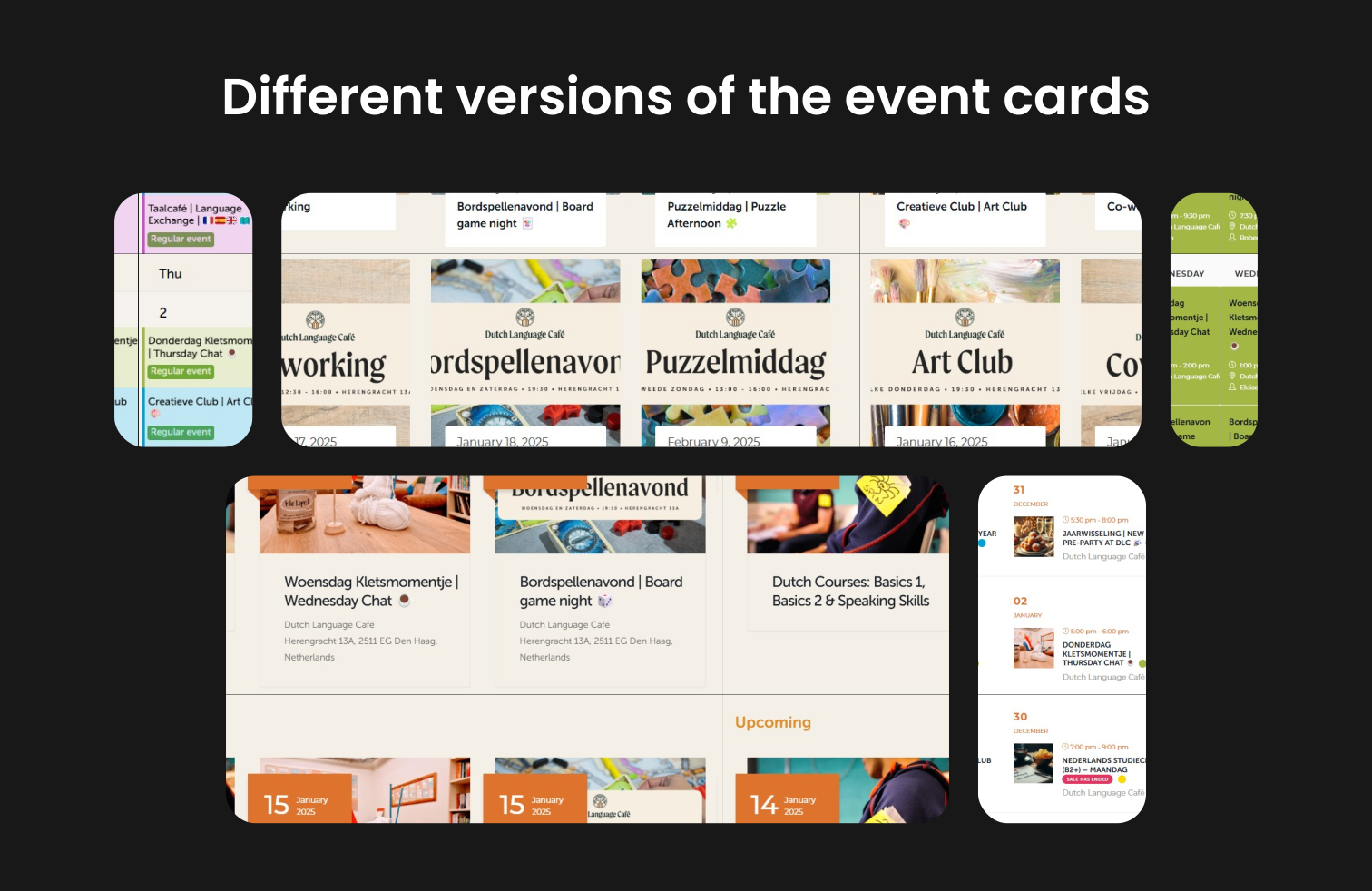
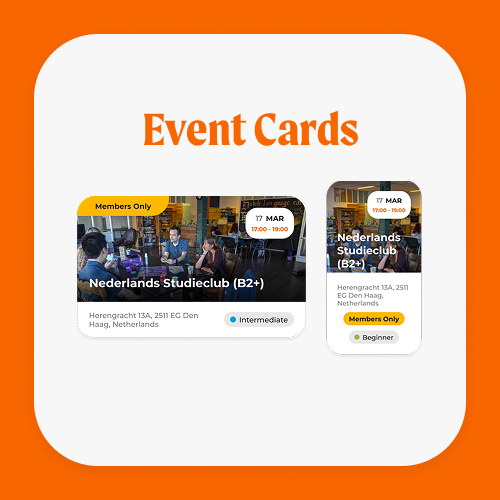
The event calendar design is inconsistent, with four different versions of display, and no clear indication of the sideways scroll function on mobile, leading to hidden events. There is also a lack of clarity regarding the color-coding of events on the homepage, which is only explained in the calendar view. The site fails to follow consistent design patterns, resulting in user confusion because some elements like "event cards" have 5 different active versions on the site.

Mobile optimization is poor, with squished elements and glitchy buttons disrupting the user experience. The event pages suffer from redundant information, such as duplicate details about location and Dutch level, wasting valuable screen space. The attendee feature is ineffective, often displaying blank user profiles, and when populated, can break the layout with excessive scrolling. These usability issues violate several Nielsen heuristics, including "error prevention," "aesthetic and minimalist design," and "consistency and standards."

Empathising with the user

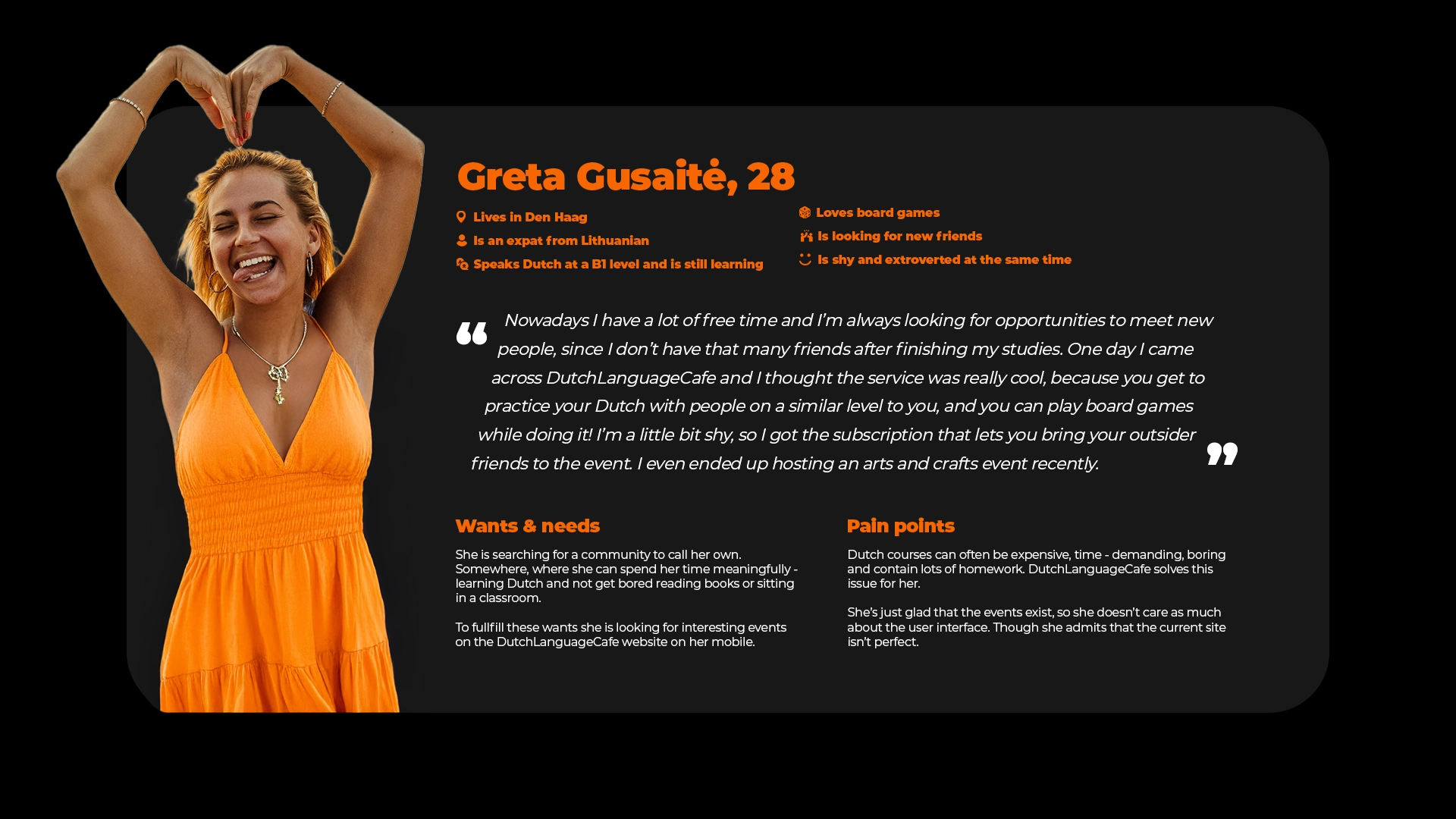
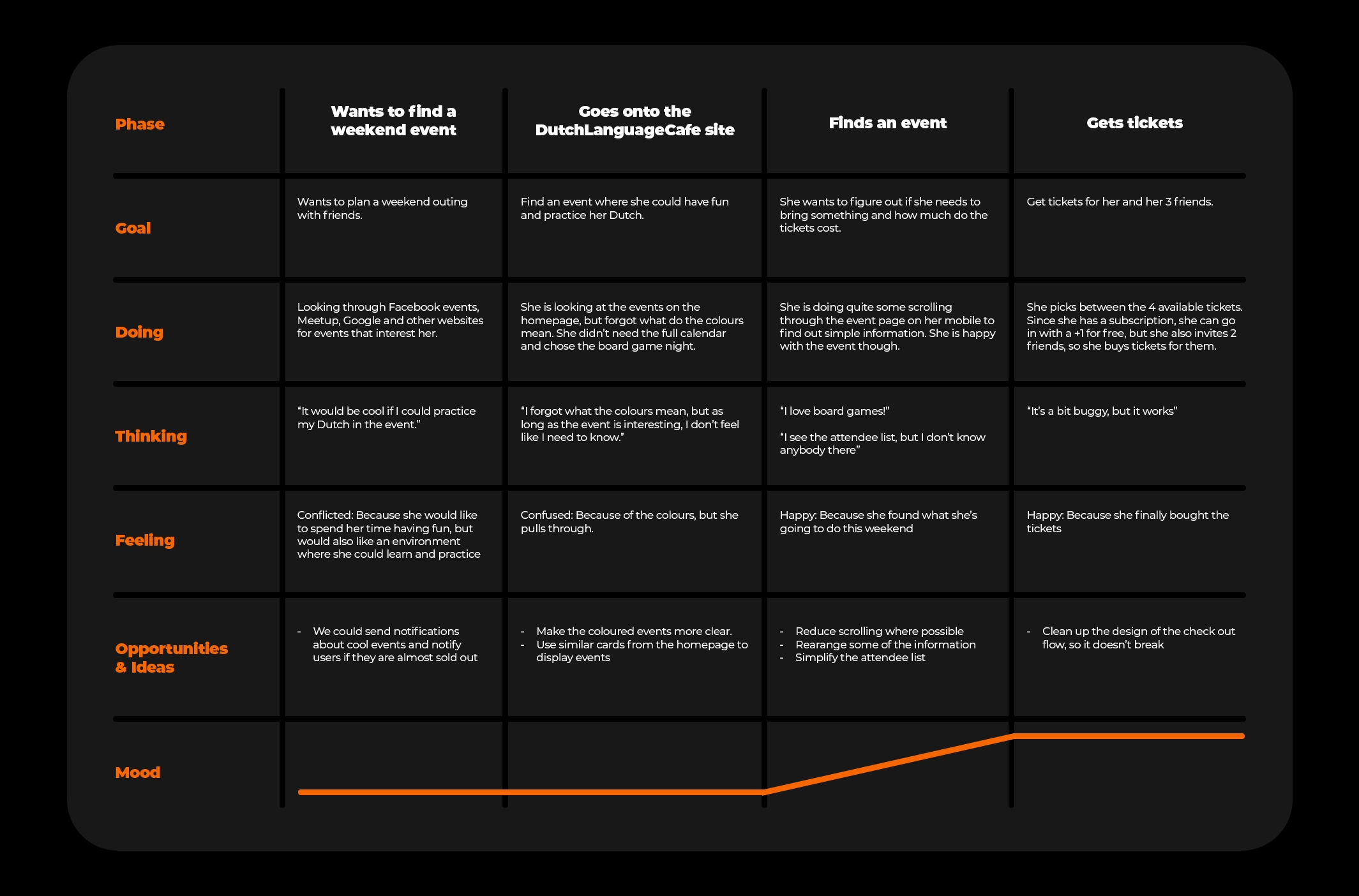
I interviewed a user of the site asking them to do a user test of the mobile version of the site explaining how they usually go about their task of visiting an event and created a user persona and journey map.

Defining the solution

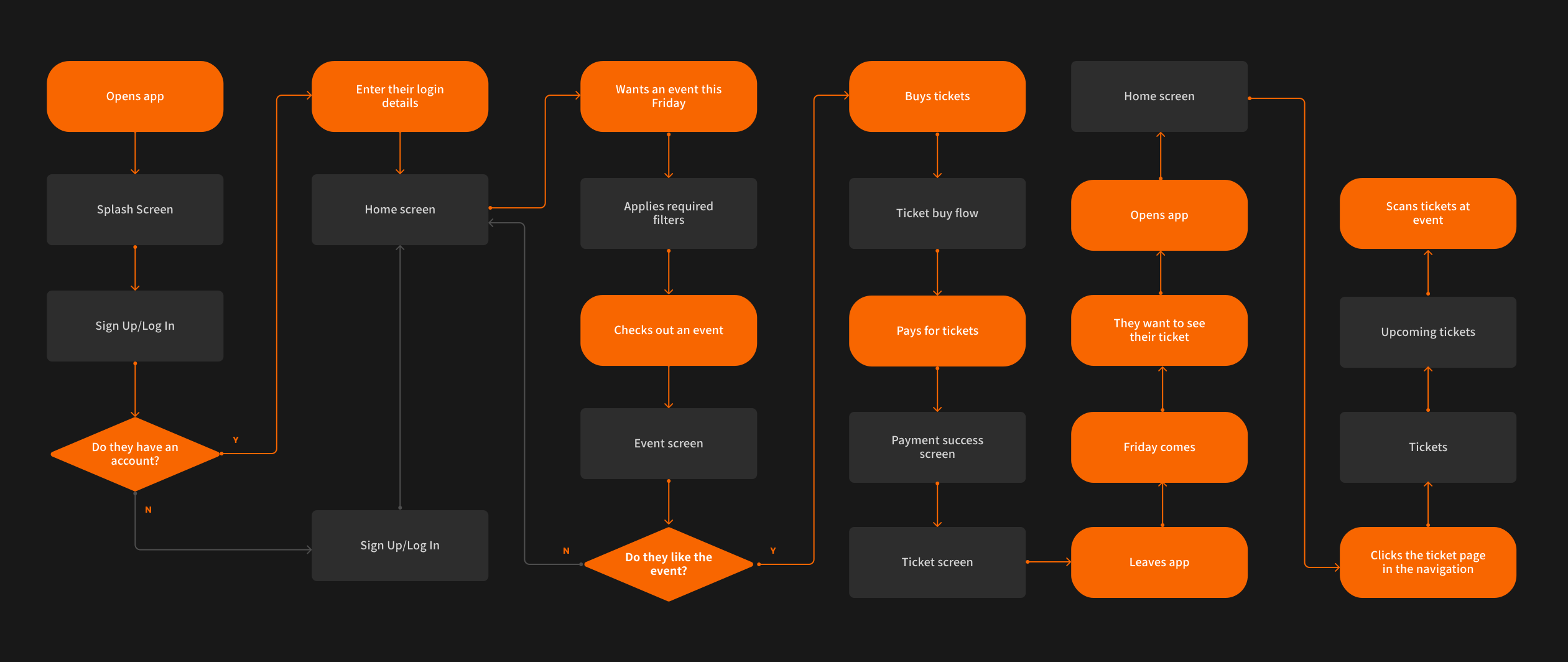
Based on my interview and desk research findings I created a user flow of how I imagine the perfect journey in this redesigned service.

I was keen to redesign this service from a mobile first POV for the initial MVP, so I started with sketching mobile wireframes in the form of an app.

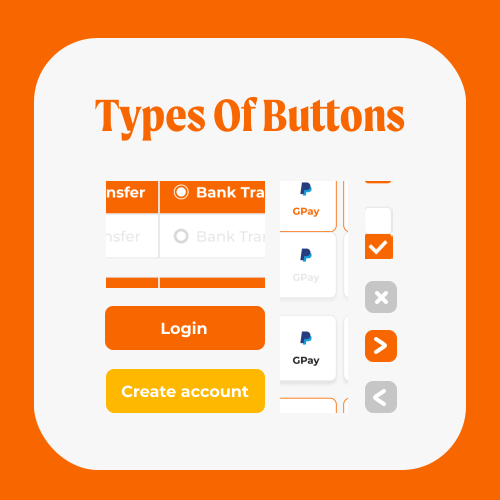
Afterwards I started creating the components.

Creating the prototype

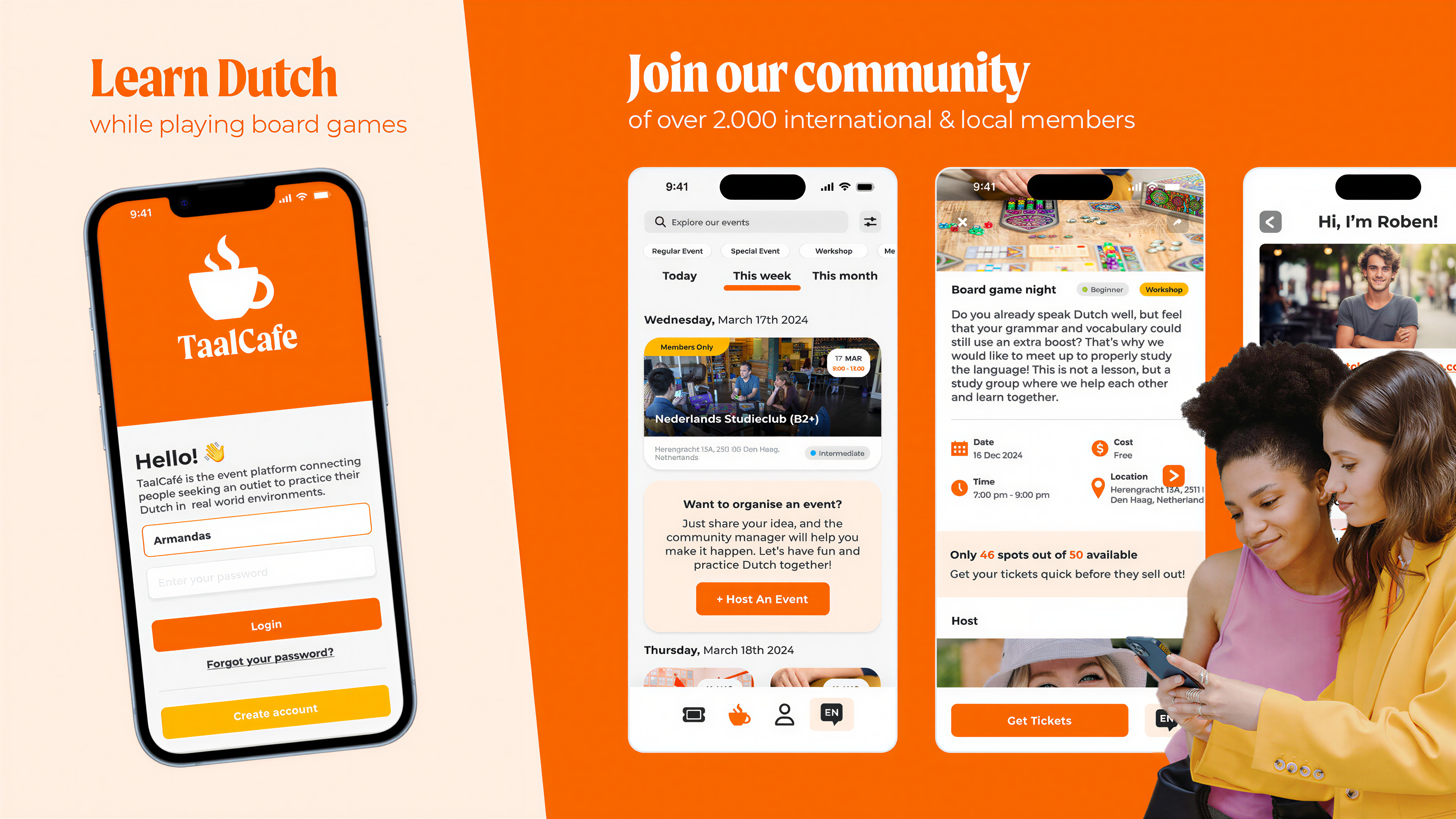
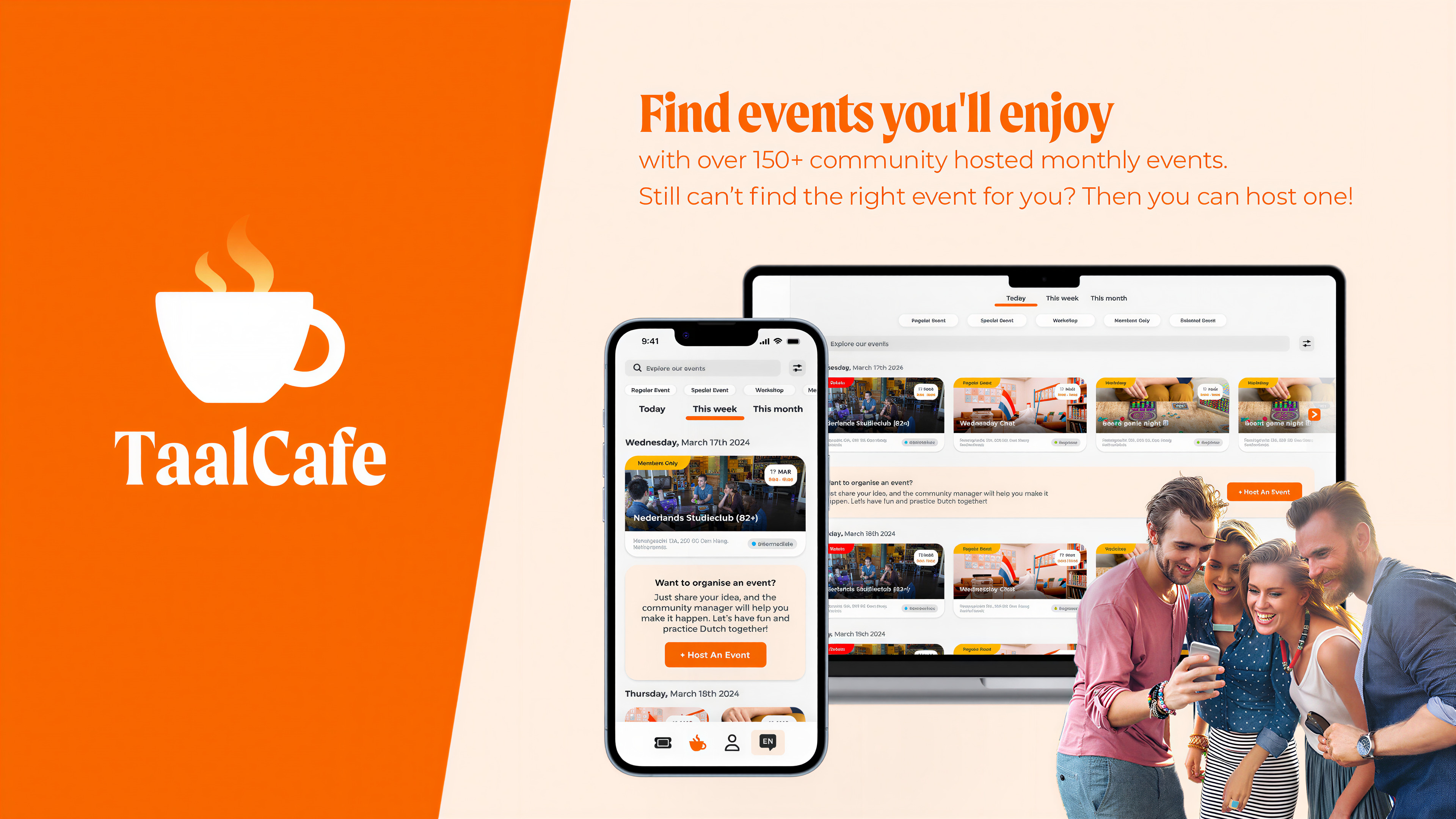
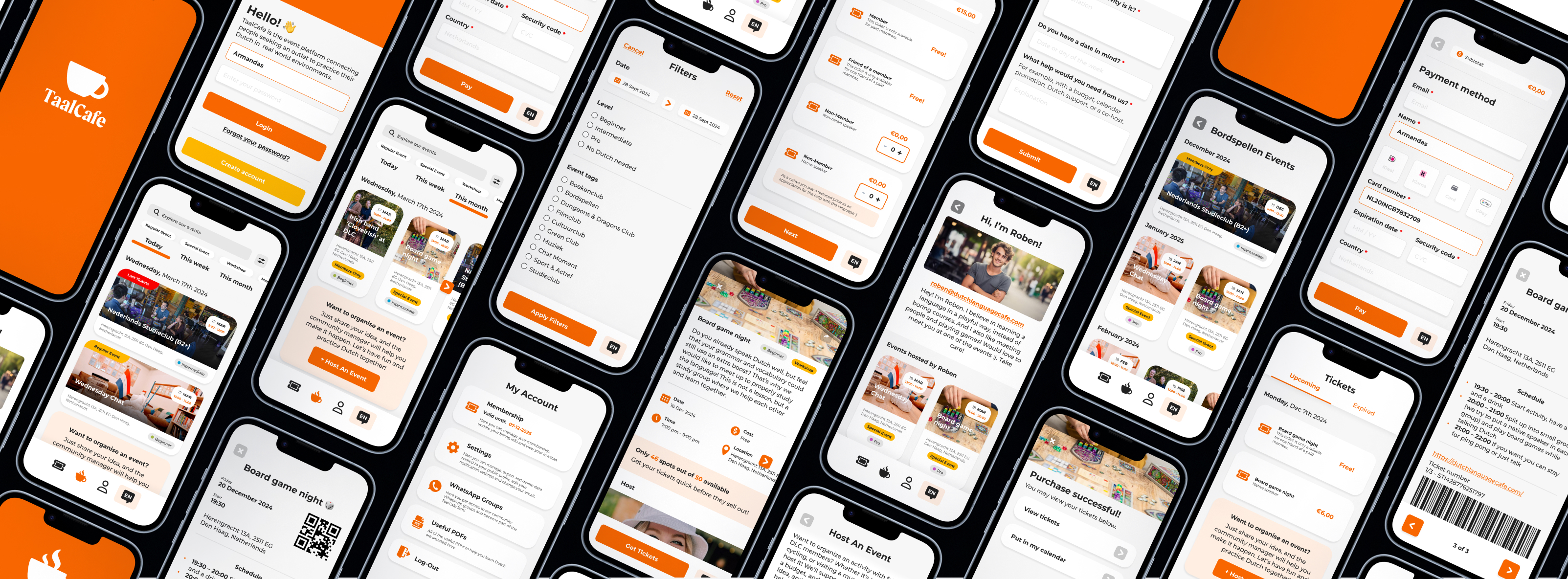
I began by focusing on the homepage design, aiming to create an engaging event management app experience. Drawing from event-specific design principles, I aimed to foster a lively atmosphere with informative banners, use color intentionally for visual impact, incorporate rich media for engagement, and ensure key elements are easily accessible for users. I also prioritized highlighting the scarcity of tickets to drive urgency.

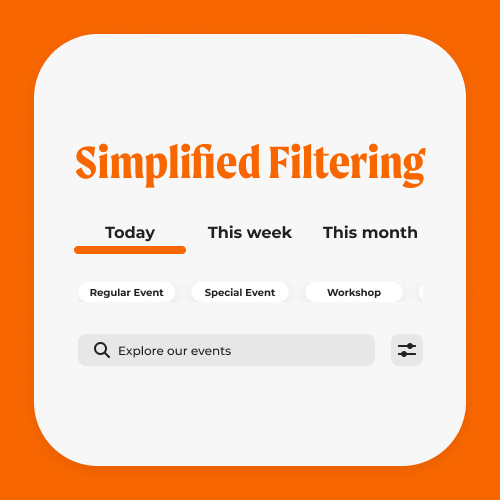
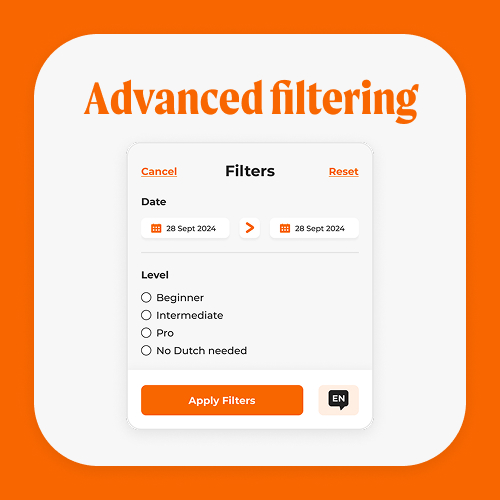
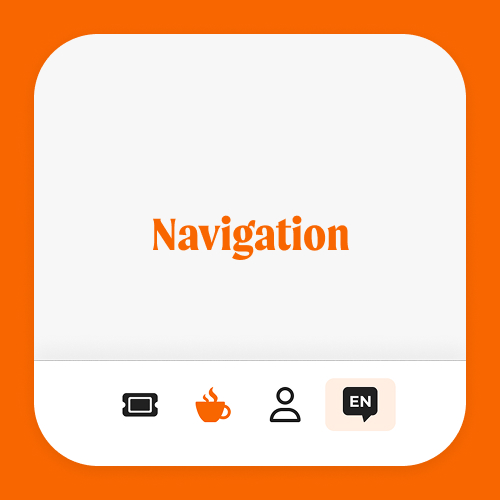
The homepage contains seven essential sections: a search bar, advanced filtering options, event type and time filters, an event feed, a suggestion to host an event, and a bottom navigation bar. This approach aligns with Miller’s Law, which suggests that people can only hold around seven items in their working memory. By limiting the homepage to these seven elements, I created a user-friendly design that minimizes effort and maximizes usability.

Improvements from the old design

In redesigning the advanced filters, I removed the price filter since ticket prices are consistently 9 or 6 euros, making it unnecessary.

I also renamed "Event label" to "Event tags" and "Event category" to "Type of event" to clear up confusion users had between these terms.

After conducting a card-sorting session, I streamlined the Event tags by merging or removing similar ones.

Additionally, I added a filter for events hosted by specific hosts, since the main site already displays this but lacks it as a filter.

On the event page, I simplified the attendee list, ensuring critical information is placed at the top to avoid excessive scrolling, and made host buttons more prominent to indicate they are clickable.

For the ticket journey, I created a cleaner, more streamlined process by consolidating everything on one screen. I incorporated variable functions that adjust the total price based on ticket quantity, making the prototype feel more dynamic.

Additionally, I used conditional variables to show extra information when choosing credit card payment.

Finally, I added a ticket management page where users can review past and upcoming events and organize their events.

View Old Website
View Old Website
View My Prototype
View My Prototype

Testing my prototype

To validate my design, I conducted five user tests where participants performed a series of tasks on both the old version of the mobile site and my prototype. I asked them to navigate the site/app and answer:

Results

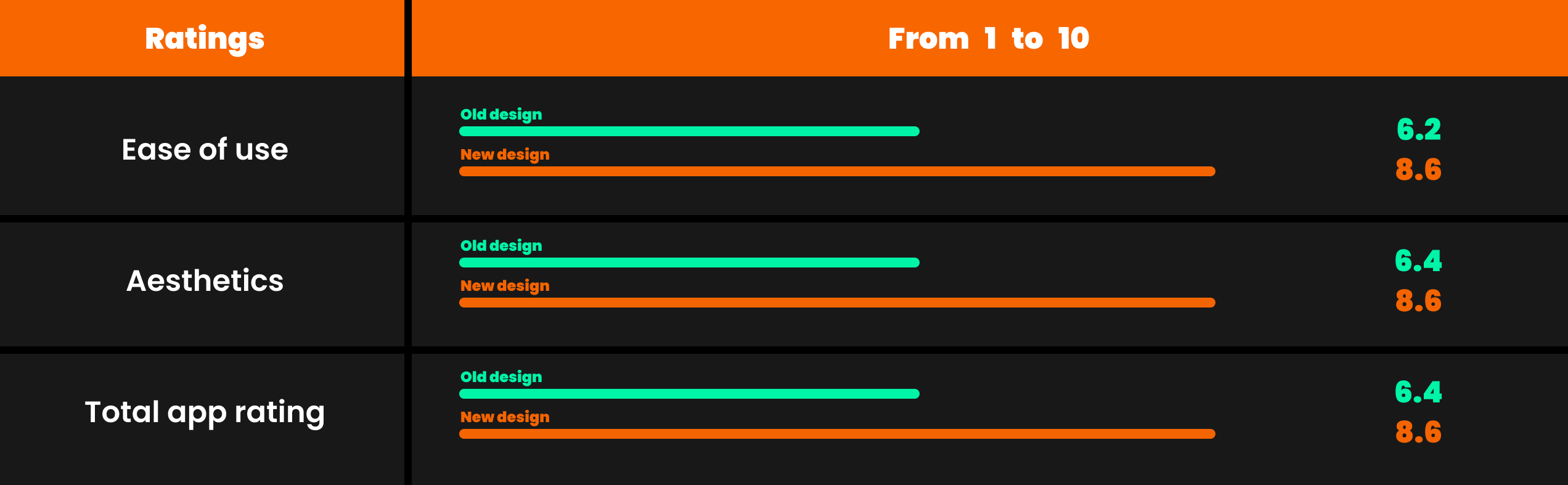
Based on the user test results, the redesign clearly delivered impactful improvements. Here are the average scores across the key categories:
Ease of use: OLD - 6.2; NEW - 8.6
Aesthetics: OLD - 6.4; NEW - 8.6
Total: OLD - 6.4; NEW - 8.6

These results demonstrate a clear enhancement in the overall usability and visual appeal of the redesigned interface. The substantial increase in ease of use and aesthetics reflects a more intuitive, visually appealing experience for users. The consistent improvement across all metrics confirms that the redesign effectively addressed user needs, making the platform not only more functional but also more engaging and user-friendly.

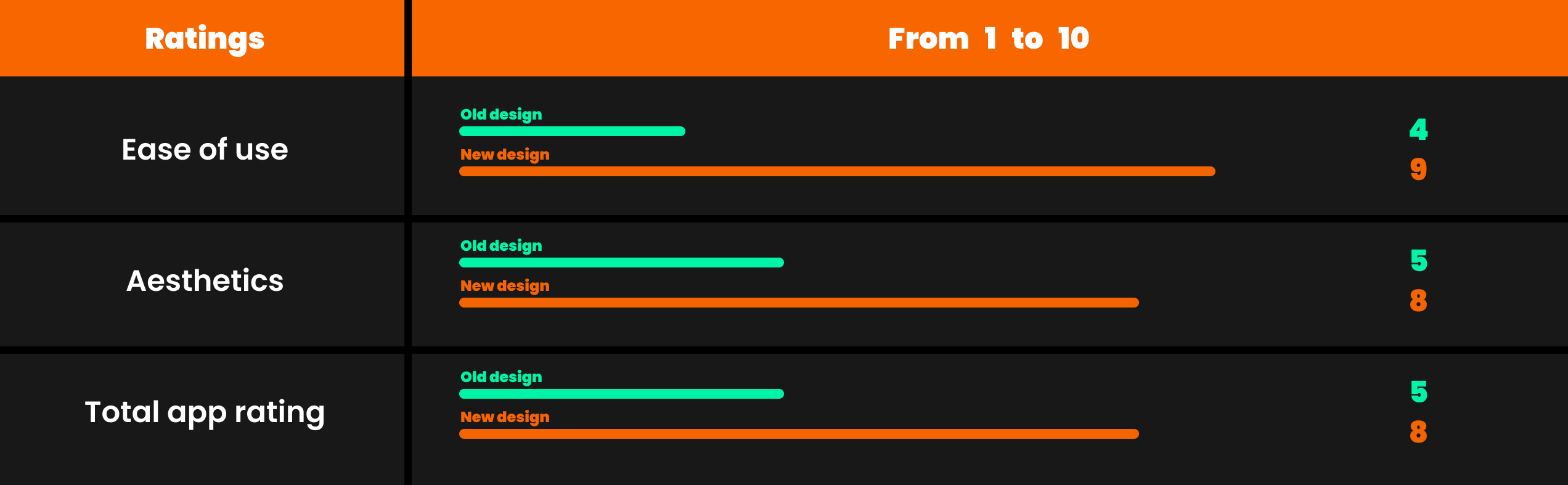
  • Ease of use: OLD - 4; NEW - 9.
  • Aesthetics: OLD - 5; NEW - 8.
  • Total: OLD - 5; NEW - 8.
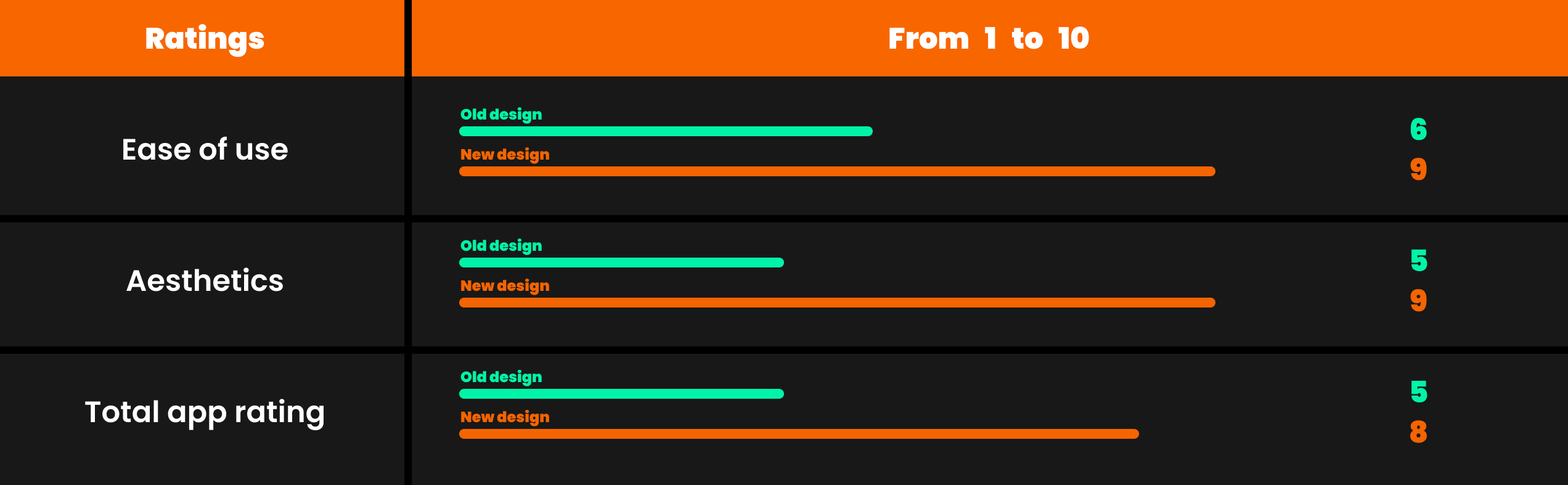
  • Ease of use: OLD - 6; NEW - 9.
  • Aesthetics: OLD - 5; NEW - 9.
  • Total: OLD - 5; NEW - 8.
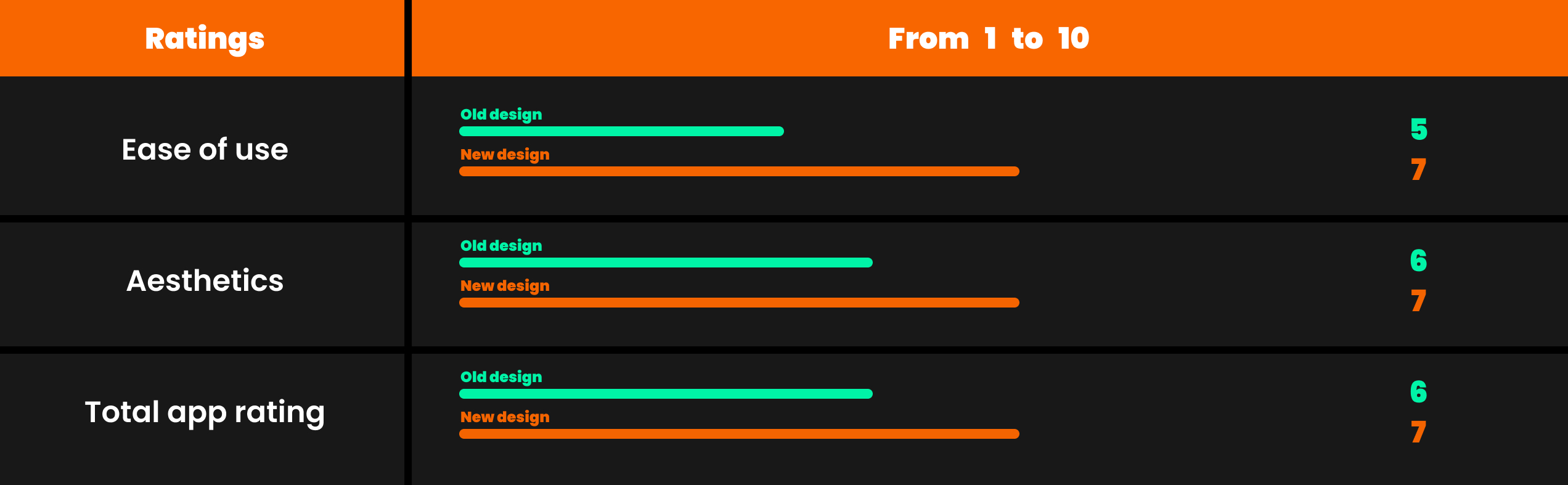
  • Ease of use: OLD - 5; NEW - 7.
  • Aesthetics: OLD - 6; NEW - 7.
  • Total: OLD - 6; NEW - 7.
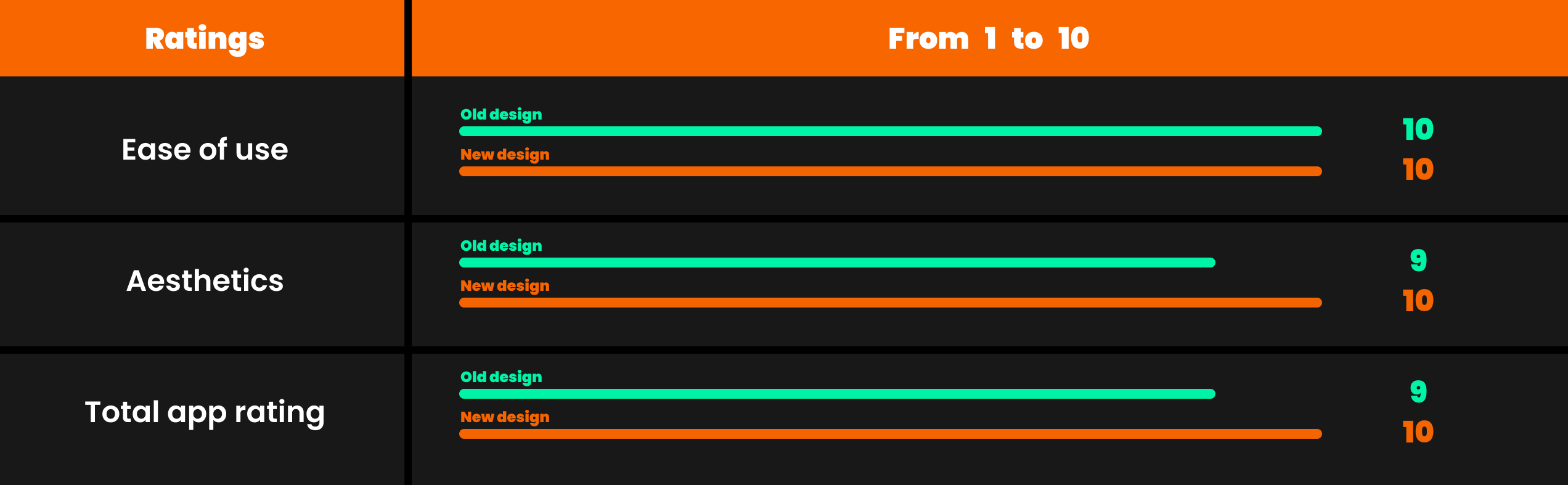
  • Ease of use: OLD - 10; NEW - 10.
  • Aesthetics: OLD - 9; NEW - 10.
  • Total: OLD - 9; NEW - 10.
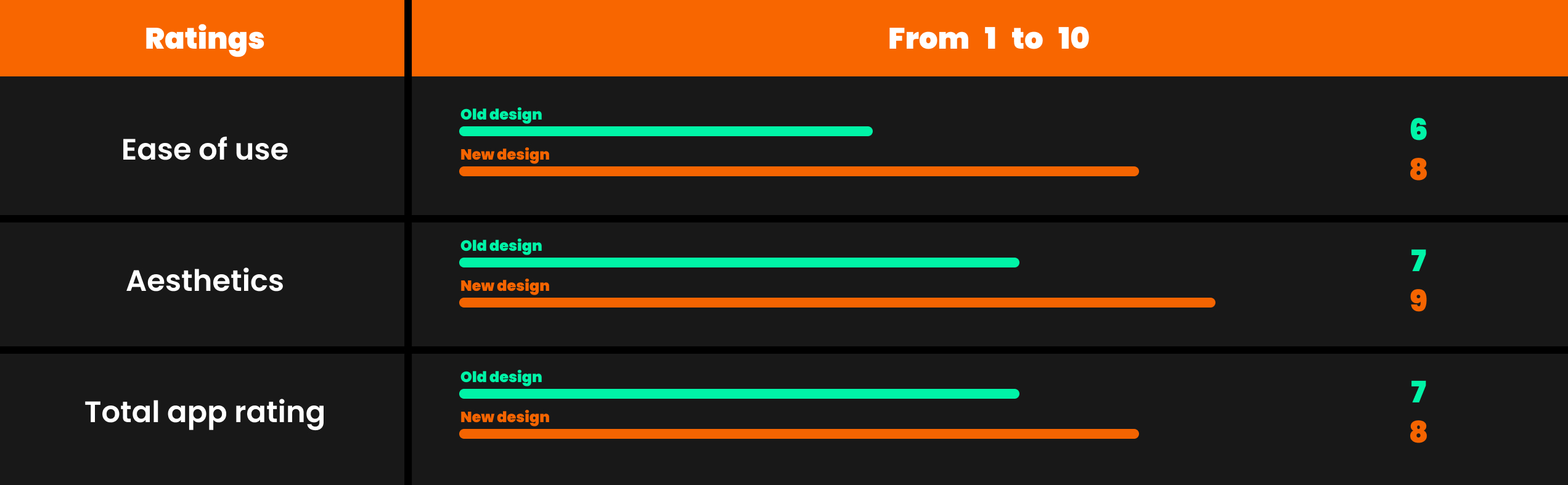
  • Ease of use: OLD - 6; NEW - 8.
  • Aesthetics: OLD - 7; NEW - 9.
  • Total: OLD - 7; NEW - 8.